
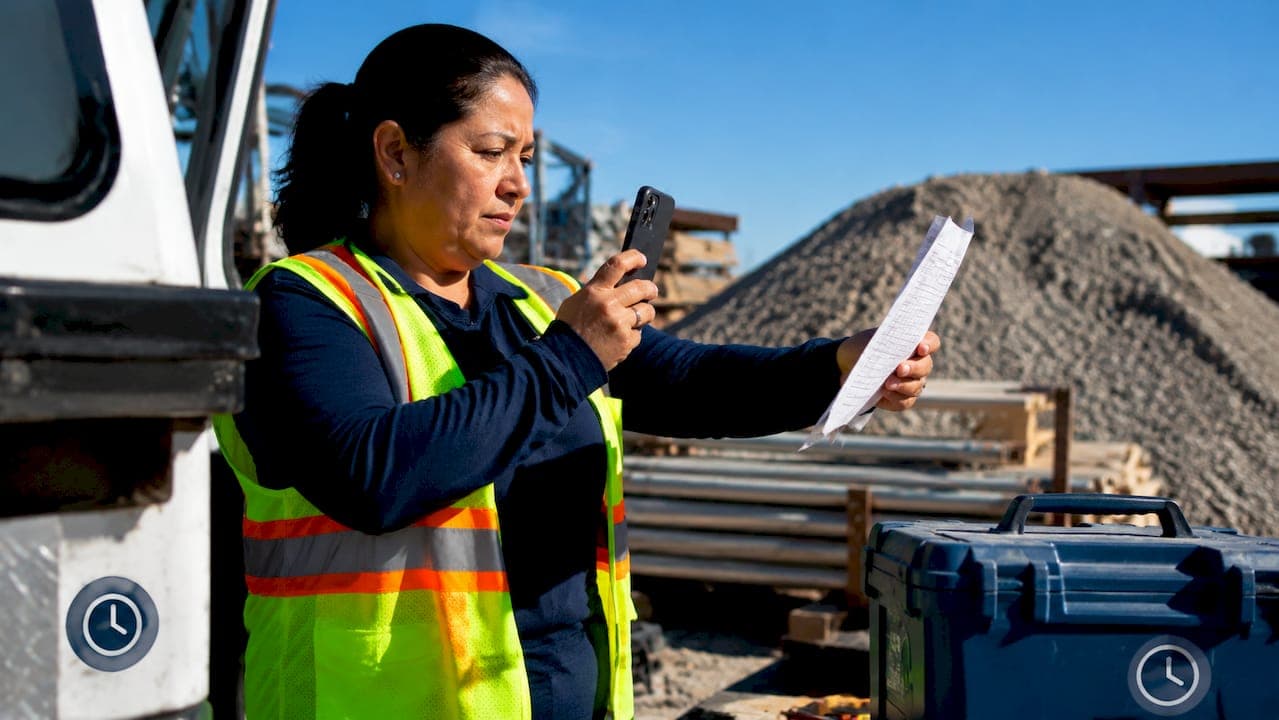
Digitizing paper timesheets for field crews means converting handwritten or printed time records into structured digital data without disrupting how crews work on site. 38% of U.S. companies still use paper timesheets because most apps fail in rugged, low-connectivity environments. That number shows the problem is not laziness. It is a lack of tools built for the field. The good news is that AI-assisted extraction and mobile capture now make it possible to convert paper timesheets without forcing crews to change a single habit.
What tools do you need to digitize paper timesheets for field crews?
The right toolkit for field crew time tracking has three layers: capture, extraction, and export. Each layer must work independently, because field sites rarely have reliable internet.
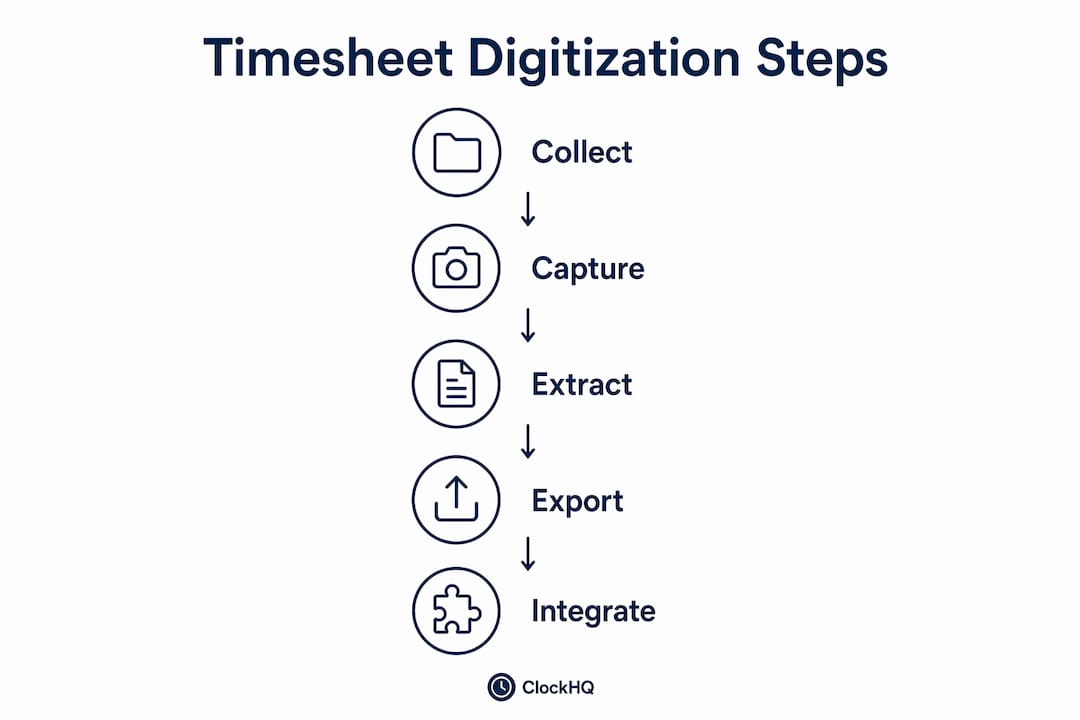
Capture: phone cameras and scanners
Mobile timesheet capture via phone is the most practical starting point. Crews keep filling out paper forms exactly as they always have. A supervisor or office admin photographs the completed sheets at the end of each day or week. No new app for the crew. No training. No resistance.

For higher volume or multi-page timesheets, a flatbed or portable document scanner produces cleaner images. Scanners reduce glare and shadow, which matters when AI reads handwriting. Either method works. The phone is faster in the field. The scanner is better for batch processing back at the office.
Extraction: AI handwriting recognition
Standard optical character recognition (OCR) reads printed text well but struggles with handwriting. AI vision models go further. AI reads handwritten data contextually, meaning it interprets what a field is likely to say based on surrounding data, not just individual character shapes. A “7” that looks like a “1” in isolation becomes clear when the AI sees it sits in a “total hours” column next to a 10-hour shift.
This contextual reading is what separates modern AI extraction from older OCR tools. It handles messy handwriting, non-standard form layouts, and inconsistent date formats without manual correction for every cell.
Export and integration
The extracted data needs to land somewhere useful. AI extraction outputs integrate with payroll platforms like ADP, Gusto, and QuickBooks Payroll through standard spreadsheet formats. CSV and Excel exports are the most common bridge between extraction tools and payroll systems.
Field-specific software must support offline use and syncing. If your extraction tool requires a live internet connection to process images, it will fail on a remote construction site. Choose tools that queue uploads and sync when connectivity returns.
Pro Tip: Before committing to any extraction tool, test it with your actual timesheets. Send five sheets with your worst handwriting samples. If accuracy drops below 95%, the tool will create more correction work than it saves.
How to convert paper timesheets into digital data: a step-by-step process
This workflow applies to construction crews, maintenance teams, and any field operation where paper is still the primary time record.
-
Prepare your team. Tell office staff and field supervisors what changes and what stays the same. Crews keep using paper. The change happens at the office level. This framing removes the biggest adoption barrier.
-
Collect timesheets on schedule. Set a fixed collection point: end of shift, end of day, or end of the week. Consistency matters because batch processing is faster and more accurate than processing one sheet at a time.
-
Photograph or scan each sheet. Use good lighting. Lay sheets flat. Avoid shadows across handwritten fields. A phone camera at 12 megapixels or higher produces images that AI tools can read reliably.
-
Upload images to your extraction tool. Batch processing runs at 5–10 seconds per timesheet. A full month of crew timesheets converts to a payroll-ready spreadsheet in minutes, not hours.
-
Review the extracted data. AI extraction is accurate but not perfect. Spot-check totals against the original sheets. Flag any row where hours look unusual. Most errors are obvious: a 24-hour shift or a missing employee name.
-
Export to your payroll system. Download the verified spreadsheet and import it into your payroll platform. Most platforms accept CSV uploads directly. Map column names once, and the import becomes a two-minute task each pay period.
-
File the original paper sheets. Keep original paper timesheets as compliance documents. For federally funded construction projects, Davis-Bacon recordkeeping requirements mean you need the originals on file. The digital copy handles payroll. The paper copy handles audits.
Pro Tip: Label each scanned image with the crew name and date before uploading. This makes it easy to trace any extraction error back to the source sheet without sorting through a folder of unnamed files.
The table below maps each step to the responsible party and the tool involved.
| Step | Responsible party | Tool |
|---|---|---|
| Collect paper timesheets | Field supervisor | Paper form |
| Photograph or scan sheets | Office admin or supervisor | Phone camera or scanner |
| Upload and extract data | Office admin | AI extraction software |
| Review and verify | Payroll manager | Spreadsheet |
| Export to payroll | Payroll manager | ADP, Gusto, or QuickBooks |
| File originals | Office admin | Physical file or binder |
What are the common challenges when digitizing paper timesheets?
Every transition from paper to digital hits predictable friction points. Knowing them in advance cuts resolution time significantly.
Poor handwriting and damaged sheets are the most common extraction problems. Wet, torn, or faded timesheets produce low-quality images that trip up even strong AI tools. The fix is simple: provide crews with waterproof paper or plastic-sleeve clipboards. Protecting the sheet in the field costs less than correcting extraction errors in the office.
Crew resistance is usually about fear, not stubbornness. Field workers worry that digital tracking means closer surveillance or that errors will be blamed on them. Address this directly. Explain that the paper form stays. The digital process is an office function. Most resistance disappears when crews realize nothing changes for them.
Offline environments create upload delays, not data loss. Offline-capable software queues images locally and syncs when the device connects. The risk is losing images if a phone is damaged before syncing. Back up photos to cloud storage automatically as a secondary measure.
AI accuracy versus manual input is a real trade-off to understand. AI extraction is faster than manual data entry and produces fewer transcription errors. Manual timesheets introduce high error risk and increase administrative workload significantly. AI does not eliminate errors entirely, but it shifts the work from data entry to data review, which is faster and less error-prone.
“The goal is not to replace human judgment. It is to remove the repetitive, error-prone parts of the process so managers can focus on exceptions, not every row.”
Integrating with existing payroll workflows requires a one-time mapping exercise. Identify the column names your payroll system expects and configure your extraction tool to output matching headers. Do this once during setup, and every subsequent export drops straight into the import template.
What measurable improvements does digital timesheet conversion deliver?
The return on converting paper timesheets is concrete and fast. AI-assisted extraction cuts payroll processing time from 4–12 hours per pay period to under one hour for a 50-person crew. That is a 75%–90% reduction in processing time. For a payroll manager billing at $35 per hour, that is real money recovered every two weeks.
Accuracy improves alongside speed. Digital timekeeping reduces errors and administrative delays. Fewer errors mean fewer disputes with crew members over pay. Disputes are expensive: they consume manager time, damage trust, and sometimes escalate to formal complaints.
Compliance becomes easier to demonstrate. Davis-Bacon and similar prevailing wage laws require detailed records of hours worked by classification. Digital records are searchable and sortable. Pulling records for an audit takes minutes instead of hours of manual file searching.
Real-time reporting is a benefit that compounds over time. Once timesheet data is digital, you can track labor costs by job site, by crew, or by week without building custom spreadsheets from scratch. That visibility helps managers catch budget overruns early, before they become project losses.
The payroll simplification benefits extend to scaling. Adding five new crew members to a paper system means more paper, more filing, and more manual entry. Adding five members to a digital system means five more rows in a spreadsheet.
Key takeaways
Digitizing paper timesheets for field crews works best when AI extraction handles the conversion and field habits stay unchanged, cutting payroll processing time by up to 90%.
| Point | Details |
|---|---|
| Preserve field habits | Crews keep using paper forms; the digital conversion happens at the office level. |
| Use AI extraction | AI reads handwriting contextually, reducing errors compared to manual data entry. |
| Batch process for speed | Processing runs at 5–10 seconds per sheet, turning a month of timesheets into minutes of work. |
| Keep paper for compliance | Original sheets satisfy Davis-Bacon and similar recordkeeping requirements during audits. |
| Verify before exporting | Spot-check AI output against originals before importing into payroll to catch outliers. |
The part most managers get wrong about this transition
When workers can continue using paper, an office-based digitization process may reduce changes to their daily routine. Whether that fits depends on the tools and the employer’s process.
AI extraction can make mistakes. Review extracted hours against the source documents, correct discrepancies, and retain the originals when required by the applicable rules.
Any time savings or accuracy improvements depend on the forms, handwriting, software and review process. Measure results in a small trial before making claims about expected savings.
Clockhq makes field timesheet management straightforward
Field crews generate time data every day. Getting that data into payroll accurately and quickly is where most construction and maintenance businesses lose hours they never recover.
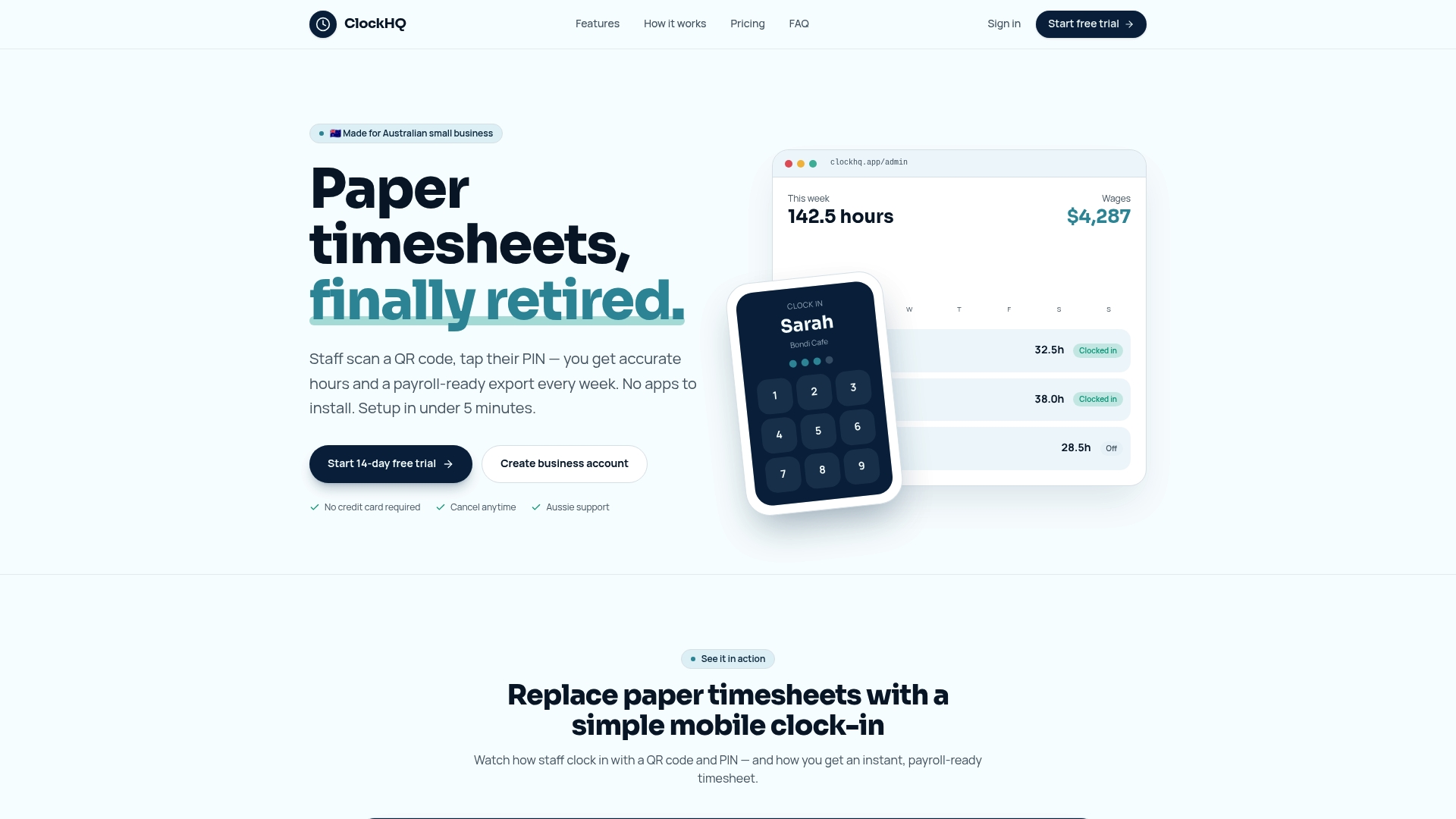
ClockHQ is a browser-based time-tracking service. Staff clock in and out with a workplace QR code and PIN; installing an app is not required. Managers can compare scheduled hours with actual clock records and review leave or early-finish requests. ClockHQ’s published materials describe timesheet summaries or exports for payroll preparation. ClockHQ requires an internet connection and does not capture or store staff photos. It does not scan paper timesheets, provide AI handwriting extraction, or sync offline records. Payroll preparation exports are separate from payroll processing; confirm the required import format with your payroll provider.
FAQ
What does it mean to digitize paper timesheets?
Digitizing paper timesheets means converting handwritten or printed time records into structured digital data using AI extraction, scanning, or mobile capture. The goal is payroll-ready data without manual re-entry.
Do field crews need to change how they work?
No. The most effective approach keeps crews filling out paper forms as usual. Office staff photograph or scan the completed sheets and run them through AI extraction software.
How accurate is AI handwriting recognition for timesheets?
AI vision models read handwritten data contextually, not just by character shape, which produces high accuracy even with messy or non-standard formats. Spot-checking output against originals catches any remaining errors before payroll runs.
How much time does digital conversion actually save?
AI-assisted extraction reduces payroll processing time by 75%–90% for a 50-person crew, cutting a 4–12 hour task down to under one hour per pay period.
Do I still need to keep the original paper timesheets?
Yes. Original paper timesheets serve as compliance documents for regulations like Davis-Bacon. Keep them filed physically while using the digital extract for payroll processing.