

Payroll automation is the most reliable way to simplify payroll for field crews, cutting admin time by up to 70% and reducing errors by as much as 95%. A Wooterra case study found that one mobile crew operation dropped its per-cycle admin time from 20 hours to 6 hours after switching to automated tools. Platforms like OnPay, Aptora, and Clockhq now make that level of efficiency available to any trades or field service business, regardless of size. The industry term for this approach is workforce payroll automation, and it covers everything from mobile time capture to cloud-based tax filing.
How to simplify payroll for field crews: the essentials
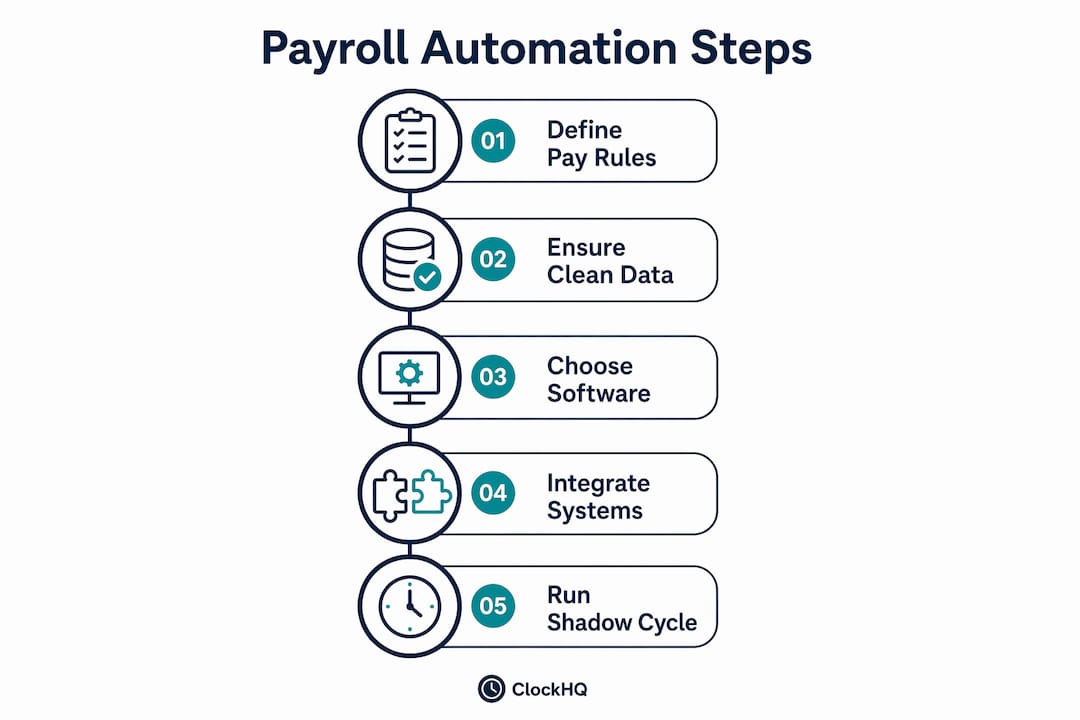
Before you touch any software, you need clean data. Payroll automation only works when the inputs are accurate and the rules are clearly defined.
Define your pay rules first
Start by documenting every pay rate, allowance, and overtime rule that applies to your crews. Field teams often have multiple pay tiers: base hourly rates, travel allowances, tool allowances, and hazard pay. If those rules live in someone's head or a spreadsheet, your automated system will inherit every inconsistency.
Tax withholding rules need the same attention. Federal, state, and local tax obligations vary by worker location, which matters when your crews cross county or state lines. Get these defined before you configure any software.
What your payroll software must do
Not every payroll platform is built for field operations. Look for these capabilities before committing:
- Automated tax filings: The software should calculate, file, and remit payroll taxes without manual input. Modern cloud payroll software automates more than 90% of manual tasks, including tax submissions and benefit enrollments.
- Flexible pay schedules: Field crews often work irregular hours or project-based cycles. Your platform needs to handle weekly, biweekly, and project-end pay runs.
- Employee self-service portals: Workers should access their own pay stubs, tax forms, and time records from a phone. This reduces the volume of payroll questions your office handles every week.
- Mobile time capture with offline sync: Crews work in basements, rural sites, and areas with poor cell coverage. Time tracking that requires a live connection will create gaps.
- Expense capture: Field workers often front costs for materials or fuel. Your system should capture those at the point of spend, not at the end of the month.
OnPay offers paperless payroll starting at $49 per month plus $6 per employee, covering tax compliance and electronic pay. That price point makes automated payroll accessible for small contractors who previously relied on manual spreadsheets.
Pro Tip: Map every pay rule to a specific line item in your payroll software before your first live run. Gaps in rule configuration are the leading cause of first-cycle errors.
How to implement automation tools for crew payroll
Choosing the right tools is only half the work. Integration and configuration determine whether automation actually delivers results.

Cloud payroll software vs. desktop payroll software
| Feature | Cloud payroll software | Desktop payroll software |
|---|---|---|
| Access | Any device, anywhere | Single machine or local network |
| Tax updates | Automatic | Manual updates required |
| Mobile time sync | Native integration | Requires third-party tools |
| Scalability | Scales with headcount | License-based, often rigid |
| Disaster recovery | Cloud-hosted backups | Local backup required |
Cloud platforms win for field operations. Your foreman in the field and your office manager can both see the same data in real time. Desktop software creates version control problems and manual sync requirements that defeat the purpose of automation.
Mobile time capture and geofencing
Accurate attendance is the foundation of easy payroll management. Geofencing ties clock-in events to specific job site locations, so you know a worker was physically on site when they punched in. This removes the guesswork from labor cost allocation and gives you defensible records if a pay dispute arises.
Clockhq supports GPS-based attendance verification, which means your job site attendance data flows directly into timesheets without manual entry. That single connection eliminates one of the most common sources of payroll error in field operations.
Connecting payroll to your other systems
Data siloing between time capture apps and accounting solutions cancels out most of the gains from automation. If your time tracking app does not talk to your payroll platform, someone is still re-entering data by hand. Prioritize platforms with API-first architecture or built-in connectors to your accounting software.
Aptora, built specifically for contractors, links payroll items directly to job cost codes and general ledger accounts. That connection means every labor dollar is automatically allocated to the right project without a manual journal entry.
Pro Tip: Before signing any software contract, ask the vendor for a list of native integrations. If your accounting platform is not on that list, budget time for custom API work or a middleware connector like Zapier.
What are the best practices for a smooth payroll transition?
Switching payroll systems mid-year carries real risk. A misconfigured withholding rule or a missed pay item can affect dozens of workers at once. These practices protect you during the transition.
-
Run two shadow pay cycles. Process payroll in both your old system and the new one simultaneously. Compare every line item. Running shadow pay cycles before going live is the single most effective way to catch configuration errors without putting employee pay at risk.
-
Import year-to-date data before switching. Reputable providers like OnPay can import year-to-date wages and taxes mid-year, so your tax reporting stays continuous. Skipping this step creates gaps that complicate W-2 filing at year end.
-
Communicate the change to your crews. Field workers are skeptical of payroll changes. Send a clear message explaining what is changing, what stays the same, and how they can access their new pay stubs. Silence breeds distrust.
-
Set up a pay dispute channel before day one. Workers need a clear, fast way to flag pay questions. Mobile-friendly pay stubs and a dedicated dispute resolution channel are emerging as standard expectations for field crews. Clockhq's self-service portal gives workers direct access to their records, which cuts dispute volume significantly.
-
Track payroll sentiment as a KPI. Ask workers how confident they feel about pay accuracy after each cycle. Pay transparency directly impacts field crew retention, and sentiment data tells you whether your new system is building or eroding trust.
How does job costing integration maximize payroll efficiency?
Payroll simplification delivers its full value only when labor costs flow automatically into your project financials. Without that connection, you are still doing manual work at the back end.
Mapping payroll items to cost codes
Integrated payroll and job costing software allows accurate labor cost allocation and improved project profitability analysis. Every pay item, whether it is regular hours, overtime, or a travel allowance, should map to a specific cost code or general ledger account. When that mapping is in place, your project managers see real labor costs in real time, not estimates.
Here is what a well-integrated payroll and job costing setup looks like in practice:
- Regular hours map to the direct labor cost code for each project
- Overtime maps to a separate overtime cost code, flagged for manager review
- Travel allowances map to the project's indirect cost pool
- Benefits and employer taxes map to burden rate calculations at the project level
The financial visibility payoff
Automated data flow between payroll and job costing reduces manual double-entry and errors that siloed systems create. When your project manager can pull a labor cost report without waiting for the payroll team to export a spreadsheet, decisions happen faster. Bids get more accurate. Margins improve.
For field service businesses managing multiple active jobs, this integration also simplifies payroll compliance reporting. Auditors and accountants can trace every labor dollar from timesheet to invoice without reconstructing data from multiple sources.
Pro Tip: Set up your cost code mapping before your first live payroll run, not after. Retroactively reallocating labor costs is time-consuming and error-prone.
Key Takeaways
Automated payroll for field crews works because accurate time capture, cloud-based processing, and job costing integration eliminate the manual steps that cause errors and waste hours.
| Point | Details |
|---|---|
| Define pay rules before setup | Document every rate, allowance, and tax rule before configuring any software. |
| Run shadow pay cycles | Process two parallel cycles to catch errors before they affect employee pay. |
| Prioritize integration | Connect payroll to job costing and accounting to eliminate manual data entry. |
| Use mobile-first tools | GPS attendance and offline sync are non-negotiable for field operations. |
| Track pay sentiment | Monitor employee confidence in pay accuracy as a leading indicator of retention risk. |
What I've learned from watching payroll transitions go wrong
I have seen field service businesses invest in payroll software and still spend 15 hours a week on manual corrections. The software was not the problem. The implementation was.
The most common mistake is treating payroll automation as a technology project instead of an operations project. Managers focus on the software features and skip the foundational work: cleaning up pay rules, mapping cost codes, and training crew leads to use the mobile app correctly. The result is garbage in, garbage out.
The second mistake is going live without shadow cycles. I understand the pressure to cut over quickly, especially when the old system is painful. But two weeks of parallel processing is cheap insurance against a payroll error that affects 40 workers on a Friday afternoon.
The third mistake is ignoring the employee experience side. Field workers do not care about your cost code structure. They care about getting paid correctly and being able to check their pay stub from their phone. If your new system does not make that easier for them, you will face resistance that slows adoption and creates more support work for your office.
The businesses that get this right share one trait: they treat the transition as a change management project, not just a software installation. They communicate early, run the shadow cycles, and measure worker confidence after each pay cycle. That approach turns a stressful cutover into a quiet success.
— noa
How Clockhq makes crew payroll management easier
Managing payroll for field crews does not have to mean hours of manual reconciliation every pay period. Clockhq is built for exactly this problem.
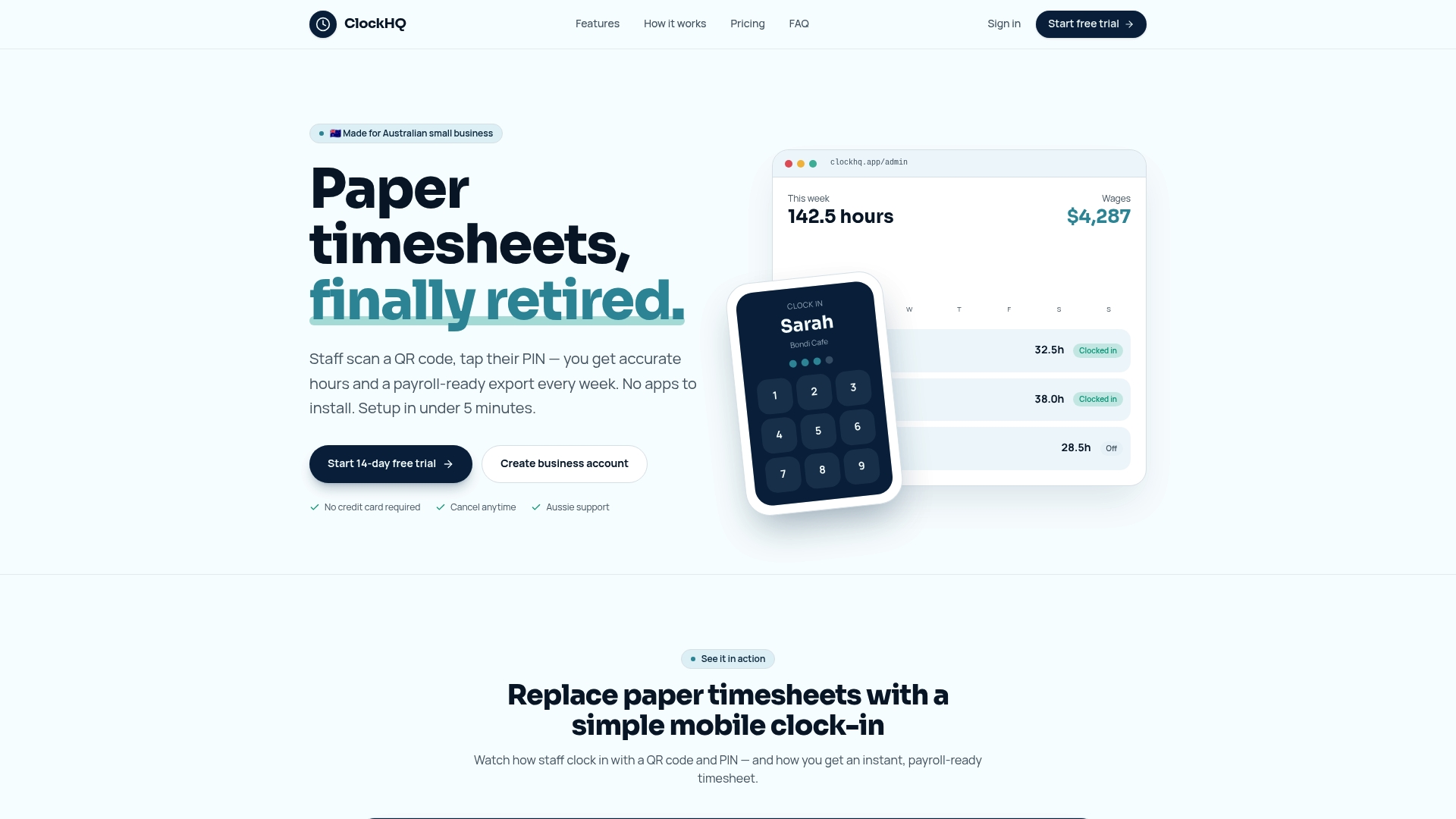
Clockhq combines GPS-based attendance tracking, mobile timesheets with offline sync, and direct payroll export into one platform your crews can use from any phone. Workers clock in at the job site, their hours flow into timesheets automatically, and your payroll team gets clean, verified data ready for processing. No re-entry. No guesswork. If you want to reduce timesheet errors and cut your payroll admin time, Clockhq gives you the tools to do it. Start with Clockhq and see how much time your team gets back on the first pay cycle.
FAQ
How much can automation reduce payroll admin time?
Automated mobile crew payroll cuts admin time by up to 70%, dropping a 20-hour process to roughly 6 hours per pay cycle. Error rates fall by up to 95% in the same transition.
What is a shadow pay cycle?
A shadow pay cycle runs your new payroll system in parallel with your existing one, comparing outputs without affecting actual employee payments. Running at least two shadow cycles before going live is the standard recommendation for a safe transition.
Do I need to switch payroll providers at the start of the year?
No. Providers like OnPay can import year-to-date wages and taxes mid-year, so tax reporting stays continuous regardless of when you switch.
Why does job costing integration matter for payroll?
Without integration, payroll and job cost data sit in separate systems, forcing manual re-entry and creating errors. Linking the two means every labor dollar is automatically allocated to the right project, giving managers accurate cost data in real time.
What mobile features should field payroll software include?
Field payroll software needs GPS clock-in, offline time capture, mobile pay stub access, and a clear channel for pay disputes. These features reduce errors at the point of data entry and build worker confidence in pay accuracy.