

Mobile workforce timesheet management is the process of capturing, reviewing, and approving employee hours from the field using digital tools, without relying on paper or manual entry. For managers in trades, hospitality, and retail, getting this right directly affects payroll accuracy, labor costs, and how fast your team gets paid. Tools like Clockhq, QuickBooks Workforce, and Neo Intelligence have made it possible to track mobile employee hours in real time, approve field timesheets on mobile, and export clean data straight to payroll. The result is fewer errors, faster processing, and a clearer picture of where your labor hours are actually going.
What tools do you need to manage mobile workforce timesheets?
The right software is the foundation of any mobile timesheet system. Before you pick one, know what features actually matter for field teams.
Core features to look for
Every solid timesheet app for field workers should include GPS-based clock-in and clock-out, a digital approval workflow, and direct payroll integration. GPS check-in and QR code scanning improve timesheet accuracy by giving you a verifiable record of where and when each shift started. That matters when you have crews spread across multiple job sites or retail locations.

Payroll integration is equally critical. Software that connects timesheet data directly to payroll eliminates the manual re-entry step that causes most payroll errors. Look for apps that apply award rules and overtime calculations automatically.
One often-overlooked feature is offline capability. Mobile workforce apps that capture data offline and sync automatically when reconnected keep your records intact even when crews work in basements, rural sites, or areas with poor cell coverage.
Comparing popular timesheet software for mobile teams
| Software | GPS Tracking | Offline Mode | Payroll Integration | Best For |
|---|---|---|---|---|
| Clockhq | Yes | Yes | Yes | Trades, retail, hospitality |
| QuickBooks Workforce | Yes | Limited | Yes (QuickBooks) | Small business payroll users |
| Neo Intelligence | Yes | Yes | Yes | Construction subcontractors |
| NetSuite SuiteProjects | Yes | Yes | Yes (NetSuite ERP) | Enterprise field teams |
Pro Tip: Before you commit to any app, run a two-week pilot with one crew. Test clock-in reliability, approval speed, and how the data exports to your payroll system. A pilot catches integration problems before they affect your whole team.
Digital timesheet systems built for subcontractors handle multiple crews, sites, and daily changes better than generic tools. If you manage rotating hospitality shifts or multi-site retail teams, that flexibility is not optional.
Prerequisites before you go live
Three things must be in place before you roll out any mobile timesheet system. First, every field worker needs a smartphone or tablet with the app installed and tested. Second, your supervisors need a clear understanding of their daily approval responsibilities. Third, your payroll team needs to know how data will arrive and in what format. Skipping any of these steps is the single biggest reason mobile timesheet rollouts stall in the first month.
How do you execute daily mobile timesheet approvals?
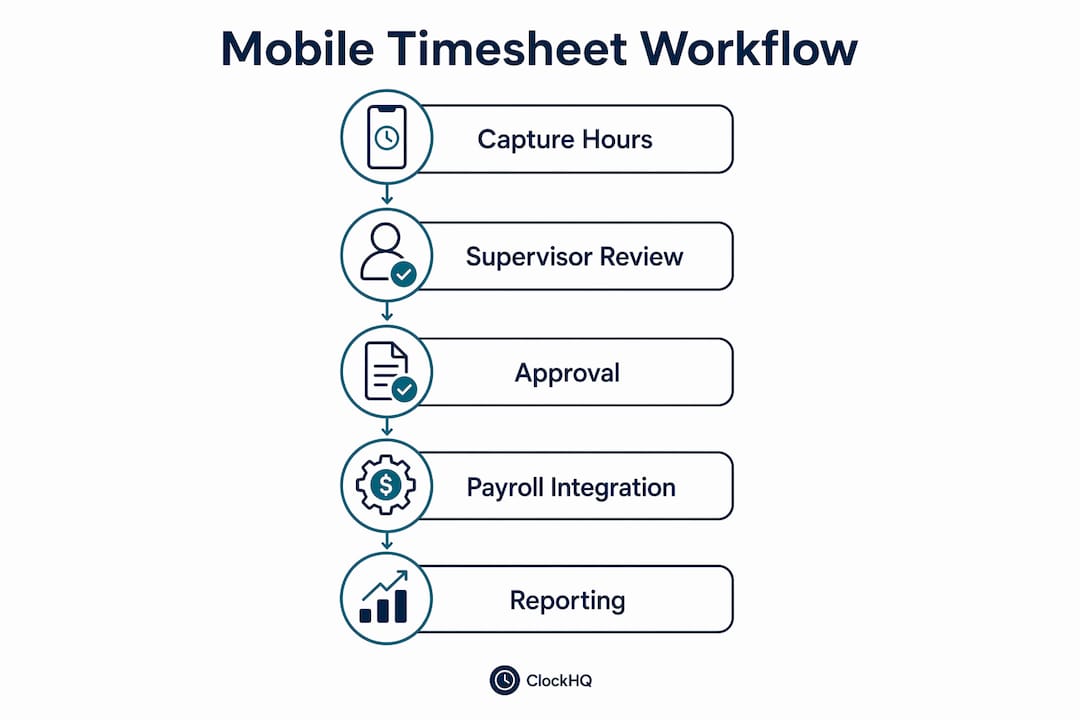
A clean approval workflow is what separates accurate payroll from a weekly scramble to fix errors. The most effective method is a two-step approval process: field supervisors review timesheets daily on-site, and the office runs a final verification before export.
Here is how that process works in practice:
- Workers clock in and out using the mobile app at the start and end of each shift. GPS or QR code confirms their location.
- The field supervisor reviews each timesheet at the end of the day, directly from their phone. They check for missed punches, incorrect break times, or wrong job codes.
- The supervisor approves or flags entries before leaving the site. Flagged entries go back to the worker for correction the same day.
- The office manager runs a final review the following morning, checking totals against scheduled hours and budget.
- Approved timesheets export to payroll automatically, with award rules and overtime applied by the software.
Daily supervisor review resolves issues before they reach payroll, which is where corrections become expensive and time-consuming. A missed clock-out caught at 5 PM takes 30 seconds to fix. The same error caught on Friday payroll run takes 20 minutes and a phone call.
Pro Tip: Set a hard daily deadline for supervisor approvals, such as 6 PM. Configure your app to send an automated reminder at 5:30 PM to any supervisor with unapproved entries. Clockhq supports automated alerts that keep this habit consistent without you having to chase anyone.
Common mistakes to avoid during daily approvals include approving timesheets in bulk without reviewing individual entries, skipping break time verification, and failing to check job codes against the actual work performed. Each of these errors compounds over a pay period and creates payroll disputes that damage trust with your team.
What are the best practices to minimize timesheet errors?
Timesheet errors in mobile workforces fall into three categories: missed punches, inaccurate break logging, and wrong job or cost code entries. Each one has a specific fix.
- Missed clock-ins and clock-outs are the most common error. GPS-enforced clock-in zones prevent workers from logging hours from home or a coffee shop. Apps that send an automatic reminder when a worker enters a job site geofence reduce missed punches by prompting the action at the right moment.
- Inaccurate break logging often happens when workers forget to clock back in after a break. Automatic break deduction rules in your software handle this consistently, but they need to match your actual break policy and local labor law requirements.
- Wrong job codes inflate labor costs on the wrong project and make budget tracking useless. A dropdown list of active job codes in the app, rather than a free-text field, eliminates most of this problem.
Automated award rule application and real-time alerts are not just convenience features. Mobile time tracking improves compliance with labor laws and reduces the risk of manual payroll errors that can result in underpayment claims.
Training matters as much as software. A 30-minute onboarding session for new field workers, focused specifically on clock-in procedure, break logging, and job code selection, cuts error rates faster than any software feature. Pair that with a one-page quick reference guide posted in the break room or sent to each worker's phone. For more detail on reducing timesheet errors for field crews, the approach is consistent: simplify the entry process and verify daily.
How does real-time labor tracking affect productivity?
Real-time labor tracking gives managers a live view of hours worked versus hours budgeted, directly from a mobile device. That visibility changes how you manage a job in progress, not just how you review it after the fact.
Tools like Procore and Clockhq show budget versus actual hours on a per-project or per-site basis. When a retail manager sees that a weekend shift is running 15% over budgeted hours by noon, they can adjust staffing before the day ends. Without that data, the overage only shows up in the payroll report the following week.
| Tracking Method | Visibility | Decision Speed | Error Risk |
|---|---|---|---|
| Paper timesheets | End of week | Slow (reactive) | High |
| Spreadsheet entry | Daily (manual) | Moderate | Moderate |
| Mobile timesheet app | Real time | Fast (proactive) | Low |
Field supervisors with access to real-time labor budget data shift from reactive to proactive management. Instead of explaining a cost overrun after the fact, they catch it while they still have options. That shift is where mobile workforce time management pays for itself. For a deeper look at how this works day to day, the guide on real-time labor tracking covers the decision framework managers use most.
One underrated benefit is schedule adherence. When workers know their hours are tracked in real time and reviewed daily, they log time more consistently. That behavioral shift alone reduces the average correction rate on timesheets across most mobile teams.
Key takeaways
Effective mobile workforce timesheet management requires the right software, a daily two-step approval workflow, and real-time labor visibility to keep payroll accurate and projects on budget.
| Point | Details |
|---|---|
| Choose purpose-built software | Select apps with GPS tracking, offline mode, and direct payroll integration for field teams. |
| Use a two-step approval workflow | Field supervisors approve daily on-site; office managers verify before payroll export. |
| Automate error prevention | Use geofencing, dropdown job codes, and automatic break rules to cut manual entry errors. |
| Track labor in real time | Compare budgeted versus actual hours live to make staffing decisions before costs overrun. |
| Train before you launch | A 30-minute onboarding session for field workers reduces error rates faster than any app feature. |
What i've learned after years of watching mobile timesheet rollouts fail
Most mobile timesheet rollouts fail for the same reason: managers buy the software and skip the workflow. They assume the app will fix the problem on its own. It won't.
The technology is the easy part. Clockhq, QuickBooks Workforce, and Neo Intelligence all do what they promise. The hard part is getting a 55-year-old site foreman to approve timesheets on his phone every day at 5 PM instead of handing in a paper sheet on Friday. That is a behavior change, not a software problem.
What actually works is starting with one crew, one site, and one supervisor who is genuinely on board. Let them prove the workflow before you roll it out to 40 people. The wins from that pilot, faster payroll, fewer disputes, cleaner data, become the argument you use with every skeptic on your team.
I've also seen managers over-engineer the approval process. A three-step approval chain with two office reviewers and a final manager sign-off sounds thorough. In practice, it creates a bottleneck that makes the system slower than paper. One field approval and one office verification is enough for most operations in trades, hospitality, and retail.
The future of mobile workforce time management is less about new features and more about adoption. The tools exist. The gap is in daily habits. Build the habit first, then add complexity as your team grows into it. For context on how tracking field employee hours remotely fits into a broader workforce strategy, the fundamentals have not changed: capture accurately, approve daily, export cleanly.
— noa
Clockhq makes mobile timesheet management simple
Managing mobile employee timesheets does not need to be complicated. Clockhq is built specifically for trades, hospitality, and retail managers who need a reliable way to track hours, run daily approvals, and get clean data into payroll without the manual work.
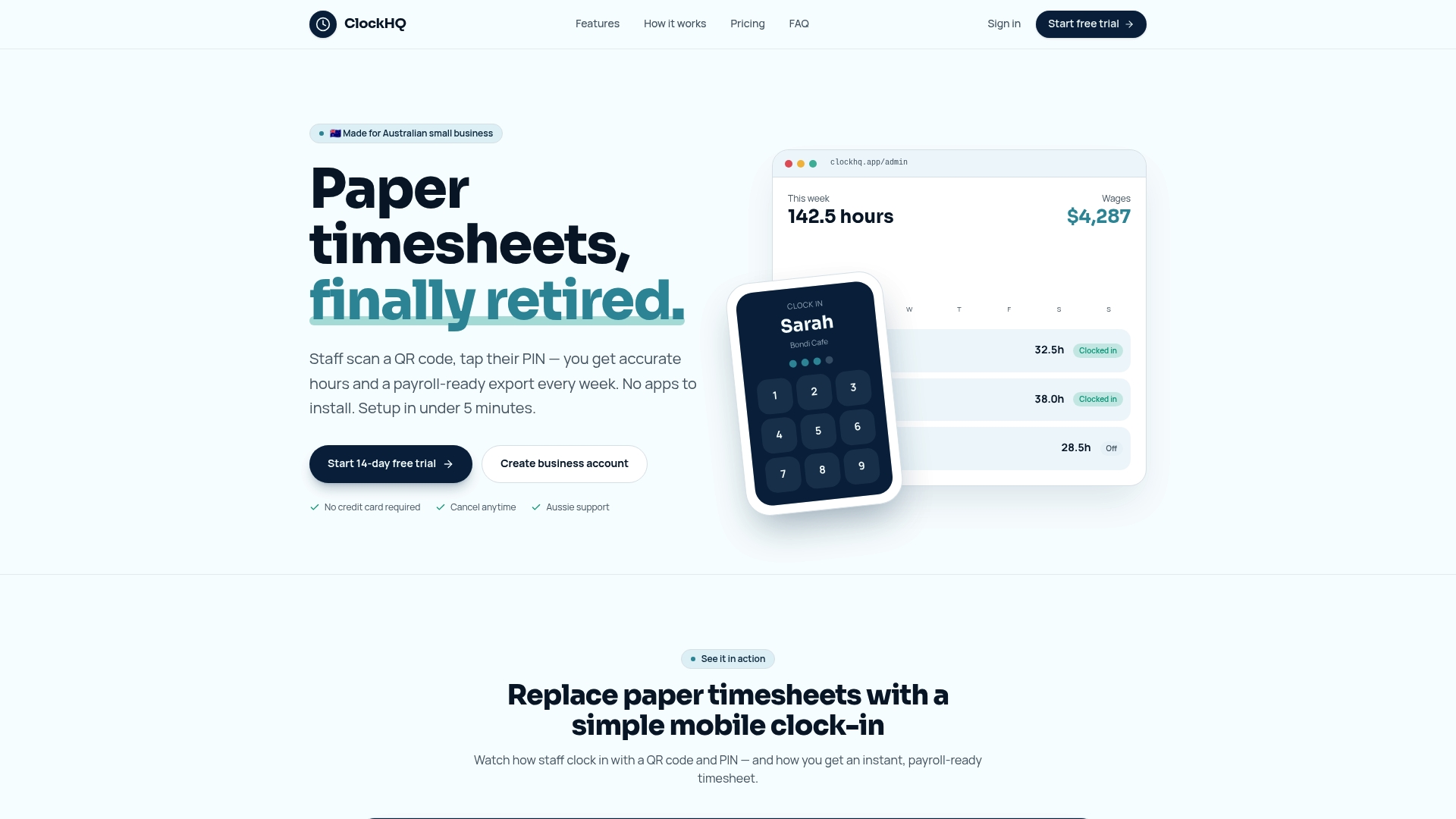
Clockhq gives your field supervisors a fast mobile approval flow, gives your office team accurate export-ready data, and gives your workers a simple clock-in experience they will actually use. GPS tracking, offline mode, and automated alerts are all included. Whether you manage one site or twenty, Clockhq's time tracking platform is designed to fit the way your team already works. Start a free trial and see how much time you get back in your first pay cycle.
FAQ
What is mobile workforce timesheet management?
Mobile workforce timesheet management is the process of capturing, approving, and exporting employee hours using a smartphone app instead of paper or desktop entry. It gives managers real-time visibility into field labor and connects directly to payroll.
How do i approve field timesheets on mobile?
The most effective method uses a two-step process: field supervisors review and approve timesheets daily on-site, then the office runs a final check before payroll export. This two-step approval workflow reduces payroll processing time and catches errors early.
What happens if workers have no internet connection?
Most quality timesheet apps for field workers support offline data capture with automatic sync when the device reconnects. This means time entries are saved locally and uploaded once connectivity is restored, with no data lost.
How do i reduce errors in mobile timesheets?
Use GPS-enforced clock-in zones, dropdown job code lists, and automatic break deduction rules to remove the most common manual entry errors. Pair those features with a daily supervisor review to catch anything the software misses.
Can mobile timesheet apps integrate with payroll?
Yes. Apps like Clockhq and QuickBooks Workforce export timesheet data directly to payroll systems with award rules and overtime calculations applied automatically. That integration removes manual re-entry and cuts payroll processing time significantly.