

Real time labor tracking is the continuous collection and display of workforce activity data during shifts, giving managers immediate visibility into who is working, where, and on what task. Unlike traditional time tracking, which records hours after the fact, this approach connects live labor data to specific jobs, cost centers, and schedules as work happens. Platforms like Clockhq, Syspro TimeTrack, and Enbrec Workops have made this capability accessible to businesses in trades, retail, and hospitality. The result is a shift from reactive payroll processing to proactive workforce management.
How does real time labor tracking work?
Real time labor tracking captures live labor data linked to specific jobs, giving managers visibility into labor costs and productivity as they occur. The technology behind it follows an event-driven model, where every workforce action triggers a data update.
Here is how the process works in practice:
- Clock-in event captured. An employee clocks in via a mobile app, biometric terminal, or badge reader. The system records the exact time, location, and assigned job code.
- GPS or geofencing verifies location. For field workers, GPS verification automates attendance confirmation and shows status updates every 15 minutes in the management dashboard.
- Job switches and breaks are logged. Every task change or break is recorded as a separate event. This links labor hours directly to work orders, cost centers, or project codes.
- Timesheets populate automatically. Event-driven data capture minimizes manual entry by generating payroll-ready timesheets directly from workforce activity events.
- Dashboard updates in real time. Managers see a live view of attendance, active jobs, idle employees, and overtime risk without waiting for end-of-day reports.
- Offline sync protects data integrity. Some platforms use offline-first designs that store data locally and sync automatically when connectivity is restored, which matters for remote job sites.
Pro Tip: Set up job code categories before launch. Employees who clock into the wrong code create cost allocation errors that compound over weeks. A five-minute setup step saves hours of correction later.
The practical effect is that a manager running three job sites can see, from a single screen, which crew is on-site, which job they are billing to, and whether anyone is approaching overtime. That visibility did not exist with paper timesheets or manual punch clocks.
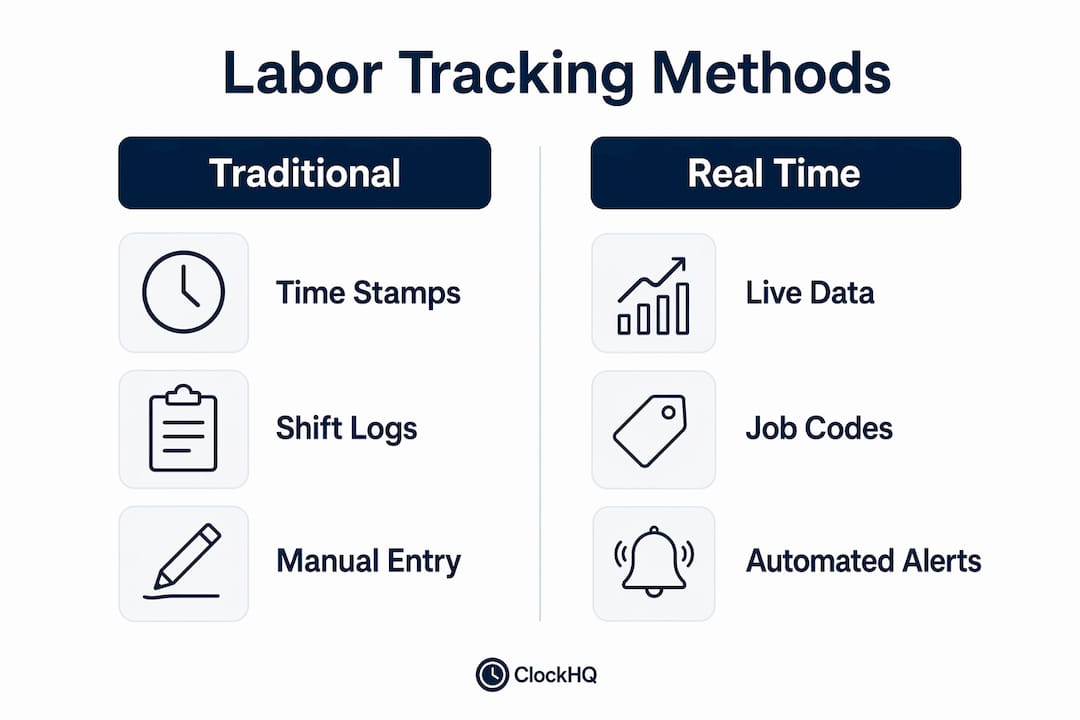
Real time vs. traditional time tracking: what is the difference?
Traditional time tracking records when employees start and stop work. Real time workforce management goes further by connecting those hours to operational context as they happen. The gap between the two approaches is significant for any business where labor is a major cost.
Systems that adapt staffing based on live labor data offer more operational value than those that only plan shifts ahead. That single distinction explains why more managers in trades, retail, and hospitality are moving away from spreadsheets and basic punch clocks.
| Feature | Real Time Tracking | Traditional Tracking |
|---|---|---|
| Data availability | Live, during the shift | End of day or pay period |
| Overtime alerts | Automatic, before it happens | Discovered after payroll runs |
| Job cost linking | Automatic via cost codes | Manual entry, often delayed |
| GPS verification | Built in for field workers | Not available |
| Payroll preparation | Auto-populated timesheets | Manual review and entry |
| Error correction | During the shift | After payroll closes |
The benefits of labor tracking in real time extend beyond convenience. Key operational advantages include:
- Proactive shift management. Managers can reassign staff or approve overtime before costs escalate, not after.
- Accurate job costing. Linking clock-in times to operational context is what makes real time labor tracking valuable, because it turns hours into cost data.
- Reduced payroll errors. Automated timesheet generation removes the manual reconciliation step that introduces mistakes.
- Compliance support. Automated overtime and absence tracking creates an audit trail that satisfies labor law requirements.
- Multi-site visibility. GPS tracking reduces manual reconciliation and improves scheduling accuracy across locations.
The shift from reactive to proactive management is the core advantage. A retail manager who sees a live overtime alert at hour six of a shift can act on it. A manager who sees it on Friday's payroll report cannot.
What features should you look for in labor tracking software?
Labor tracking software solutions vary widely in capability. Choosing the wrong platform means paying for features you do not use while missing the ones that matter for your industry.
The core capabilities that define a strong platform are listed below. Use this as a checklist when evaluating options.
- Automated time capture. The platform should support mobile clock-in, GPS verification, biometric terminals, and badge readers. Manual entry should be the exception, not the default.
- Real time dashboard. Look for auto-refreshing views that show attendance, job status, idle time, and overtime risk without requiring a manual report pull.
- Payroll and HRIS integration. Automated attendance and payroll integration are core value additions that eliminate double entry and reduce processing time.
- Job and cost code linking. Every hour should attach to a work order, project, or cost center. This is the feature that turns time data into financial insight.
- Offline capability. Field crews in low-connectivity areas need a platform that stores data locally and syncs when back online.
- Alerts for exceptions. Overtime risk, unexpected absences, and idle time should trigger automatic notifications, not manual checks.
- Mobile app support. A field worker or roaming retail supervisor needs full functionality from a phone, not just a desktop.
- Compliance reporting. The platform should generate audit-ready reports for labor law compliance, including overtime records and break tracking.
Pro Tip: Before signing a contract, test the payroll export with your actual payroll provider. Integration claims on a sales page do not always match real-world performance. A 30-minute test saves weeks of frustration.
Clockhq covers all of these capabilities in one platform, with a mobile-first design that works for both office managers and field crews. For businesses that also need to track travel time for field work, that data feeds directly into timesheets without additional manual steps.
How does real time tracking improve workforce management by industry?
The advantages of real time tracking look different depending on your industry. The technology is the same. The operational problems it solves are not.
Trades and field services
Live job costing is the primary benefit for contractors and trade businesses. When a plumber clocks into a job code on a mobile app, that hour immediately appears against the project budget. Managers can see crew productivity, travel time between sites, and whether a job is running over budget before the invoice goes out. GPS and geofencing for attendance also removes the need for a supervisor to physically verify who is on-site. For a business running five crews across different locations, that visibility is the difference between accurate job costing and guesswork.
Syspro TimeTrack demonstrates this well. Its bi-directional ERP integration means labor data feeds directly into job costs in real time, showing true job profitability without waiting for month-end reconciliation.
Retail
Retail managers deal with high staff turnover, variable shift patterns, and frequent clock-in errors. Real time employee monitoring catches attendance anomalies the moment they happen. A missed clock-in at a checkout station shows up on the dashboard immediately, not at the end of the day when the shift gap has already affected service. Live overtime alerts let managers adjust hours before they cross into premium pay territory. Reducing clock-in irregularities in retail is one of the fastest ways to cut payroll errors without changing staffing levels.
Hospitality
Hospitality operations run on tight margins and complex shift patterns. A hotel or restaurant managing multiple departments needs to see, at a glance, which staff are active, which are on break, and whether peak-hour coverage is adequate. Real time data lets managers move staff between sections during service without losing track of hours or job assignments. Compliance with labor laws, including mandatory break requirements and overtime thresholds, is easier to manage when the system flags exceptions automatically rather than requiring a manual audit after the fact.
Across all three industries, the common thread is the same. Continuous live workforce data lets managers adjust staffing and resource allocations during the workday, which is something no end-of-day report can provide.
Key takeaways
Real time labor tracking delivers its full value only when live data is connected to operational context, not just clock-in and clock-out times.
| Point | Details |
|---|---|
| Definition matters | Real time labor tracking links live hours to jobs and cost codes, not just attendance records. |
| Event-driven model | Every clock-in, job switch, and break triggers an automatic data update for payroll and dashboards. |
| Proactive management | Live overtime alerts and attendance flags let managers act during a shift, not after payroll closes. |
| Industry applications | Trades use it for job costing, retail for attendance accuracy, and hospitality for compliance and coverage. |
| Software selection | Prioritize payroll integration, offline capability, and mobile support before evaluating other features. |
The feature most managers overlook
After working with workforce management tools across multiple industries, the pattern I see most often is this: managers buy a real time tracking platform for the clock-in feature and never configure the job costing side. They get better attendance data, but they miss the part that actually changes how a business runs.
The real value is not knowing that your crew clocked in at 7:02 AM. It is knowing that three hours of that crew's time went to a job that was budgeted for two hours, and you found out before the job closed. That is the insight that changes a bid, adjusts a crew size, or catches a scope creep problem early.
The other mistake I see is treating implementation as an IT project rather than an operations project. The platform is simple. The hard part is getting every supervisor to understand why job codes matter and what happens to the data downstream. Spend more time on that conversation than on the software setup itself.
Workforce management technology is moving toward tighter integration between scheduling, tracking, and payroll. Businesses that connect those three systems now will have a significant operational advantage as labor costs continue to rise. The tools exist. The gap is almost always in how they are configured and used.
— noa
See real time labor tracking in action with Clockhq
Clockhq gives business owners and managers in trades, retail, and hospitality a single platform to track employee hours, manage shifts, and monitor attendance in real time from any device.
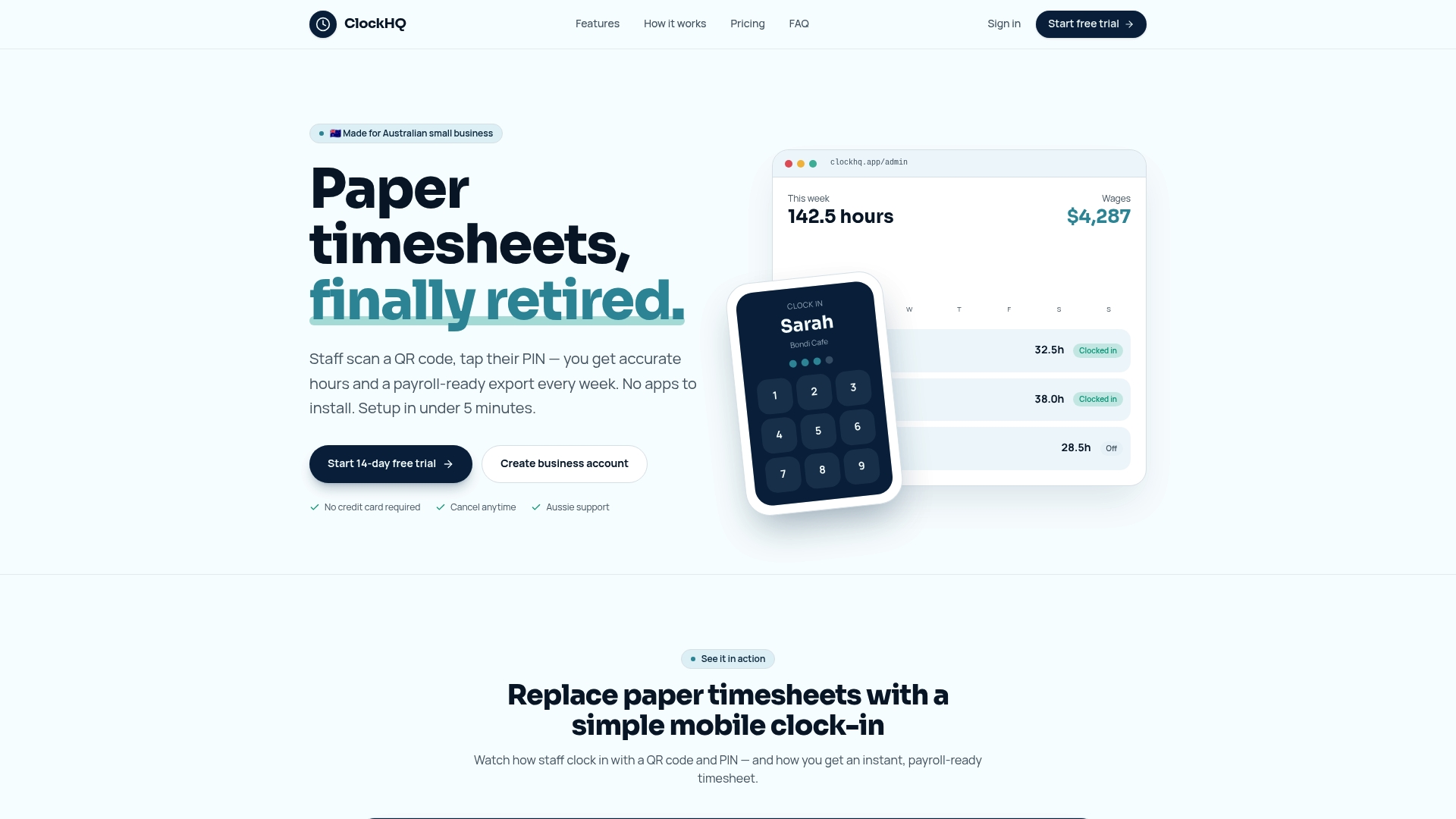
The mobile app supports GPS clock-in, job code assignment, and automatic timesheet generation. Live dashboards show attendance, overtime risk, and shift coverage without manual report pulls. Payroll exports connect directly to your existing systems, cutting the time spent on end-of-period reconciliation. If improving productivity with tracking is a priority for your business, start with Clockhq and see how live labor data changes the decisions you make during a shift, not after it.
FAQ
What is real time labor tracking?
Real time labor tracking is the continuous capture and display of workforce activity data during shifts, linking hours to specific jobs, cost centers, and schedules as work happens. It gives managers live visibility into attendance, productivity, and labor costs without waiting for end-of-day reports.
How does labor tracking software work?
Labor tracking software uses an event-driven model where clock-ins, job switches, and breaks automatically generate data records. GPS and geofencing verify location, timesheets populate automatically, and dashboards update in real time for management review.
What are the main benefits of labor tracking in real time?
The primary benefits include proactive overtime management, accurate job costing, automated timesheet generation, and multi-site visibility via GPS. Managers can act on labor data during a shift rather than discovering problems after payroll closes.
Which industries benefit most from real time workforce management?
Trades, retail, and hospitality see the strongest operational gains. Trades businesses use it for live job costing, retail managers use it to catch attendance errors and overtime risk, and hospitality operations use it to manage complex multi-shift coverage and labor law compliance.
Does real time tracking work without an internet connection?
Some platforms use offline-first designs that store data locally and sync automatically when connectivity is restored. This is a critical feature for field crews and remote job sites where reliable internet access is not guaranteed.