

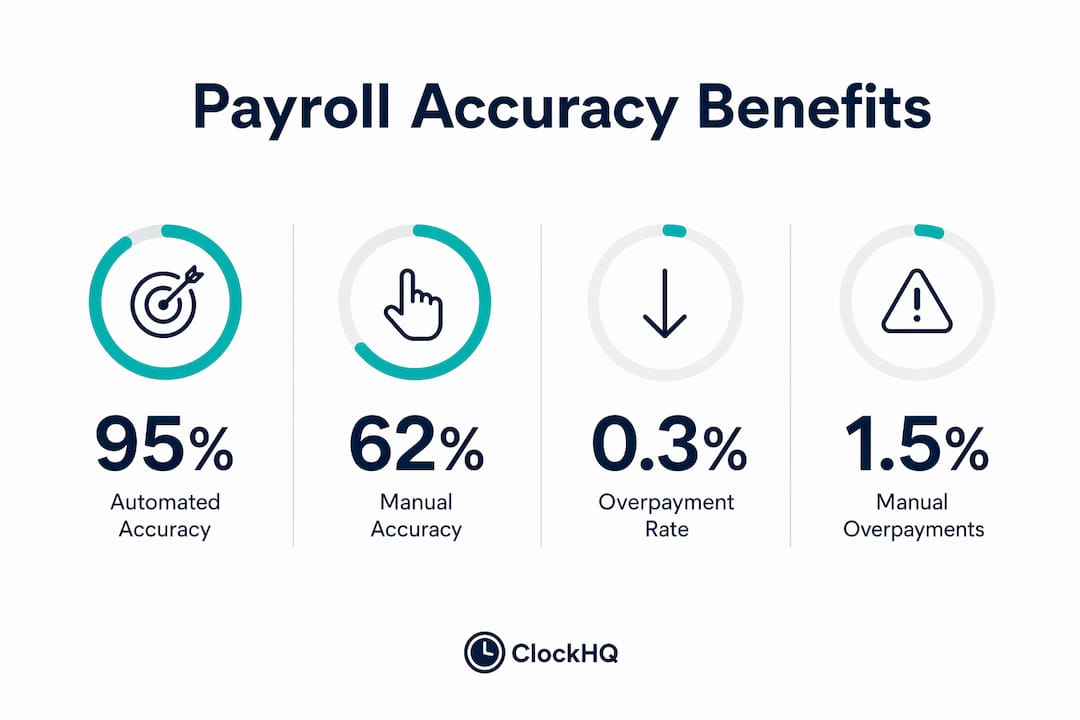
Time tracking is the systematic recording of employee work hours, job codes, and site attendance to produce accurate payroll data. For trade businesses, the gap between manual timesheets and automated tracking is not a minor efficiency difference. Paper timesheets average 62% accuracy while automated systems reach up to 95%. That 33-point gap translates directly into overpayments, compliance risk, and hours of administrative rework every pay cycle. Understanding why time tracking reduces payroll errors in trades starts with recognizing that manual processes are structurally unreliable, and digital tools like Clockhq and Procore exist specifically to close that gap.
How automated time tracking improves payroll accuracy
Automation removes the single biggest source of payroll errors: human memory. When a superintendent fills out timesheets on Friday afternoon for a crew that worked Monday through Thursday, he is reconstructing events from recall. GPS geofencing eliminates this reconstruction problem by capturing clock-in and clock-out data at the source, the moment it happens, tied to a verified location. The result is a time record that reflects what actually occurred, not what someone remembers.

Real-time data capture
Modern time tracking apps record hours through GPS geofencing, biometric clocks, and mobile check-ins. Each method creates a timestamped, location-verified entry that feeds directly into a payroll queue. There is no manual transcription step, which means there is no transcription error. Biometric authentication also removes the option for one worker to clock in on behalf of another, a practice known as buddy punching that costs trade businesses real money every week.
Automated overtime and approval workflows
Overtime miscalculation is one of the most common and expensive payroll errors in trades. Automated systems apply overtime rules the moment an employee crosses the threshold, with no manual calculation required. Digital approval queues replace the back-and-forth of chasing down paper timesheets, so managers review and approve entries in one place before payroll runs. This cuts the administrative burden significantly and prevents last-minute corrections that introduce new errors.
The financial impact is measurable. Payroll overpayments drop from roughly 1.5% to 0.3% when businesses switch from manual to automated tracking. For a 20-employee shop, that reduction saves approximately $17,700 per year. That figure alone justifies the cost of most time tracking solutions.
| Feature | Manual Timesheets | Automated Tracking |
|---|---|---|
| Accuracy rate | ~62% | Up to 95% |
| Overtime calculation | Manual, error-prone | Automatic, rule-based |
| Buddy punching risk | High | Eliminated via biometrics |
| Approval process | Paper-based, slow | Digital queue, fast |
| Payroll overpayment rate | ~1.5% | ~0.3% |
Pro Tip: Choose a time tracking system that integrates directly with your payroll software, such as Xero or QuickBooks. Direct integration removes the data export and import step, which is where a surprising number of errors are introduced.
What are the most common payroll errors in trades?
Trade businesses face a specific set of payroll problems that office-based companies rarely encounter. Crews work across multiple job sites, shift between cost codes throughout the day, and often operate in areas with limited supervision. These conditions create four recurring error types.
-
Buddy punching. One worker clocks in for another who is late or absent. Biometric authentication and automated systems eliminate this by requiring the actual employee to verify their identity at clock-in.
-
Time rounding and estimation. Supervisors round hours up or down when filling out paper timesheets, or estimate hours when they were not present to observe. Over a full crew and a full year, these small rounding errors compound into significant overpayments.
-
Late timesheet submission. When workers submit timesheets days after the work occurred, accuracy drops. Mobile time tracking apps let workers log hours from the job site in real time, so the data is current when it is entered.
-
Estimated hours on certified payroll. This is the most legally dangerous error type. Using estimated hours on certified payroll reports can trigger a "willful misrepresentation" finding by regulators, which escalates penalties well beyond a simple correction. Automated tracking produces verifiable, timestamped records that satisfy regulatory requirements.
Each of these errors has a direct cost. Buddy punching and rounding inflate your labor bill. Late submissions delay payroll processing and create friction with your crew. Estimated certified payroll creates legal exposure that no trade business owner wants to carry.
Pro Tip: Configure your time tracking system to lock timesheet submission after 24 hours without a manager override. This forces real-time entry and prevents the memory-based reconstruction that causes most inaccuracies. You can read more about practical strategies in this guide on reducing timesheet errors for field crews.
Does time tracking help with job costing and profitability?
Accurate time tracking does more than clean up payroll. It connects every labor hour to a specific job code, phase, or task, giving you a real-time view of where your money is going on every project. Real-time labor budget versus actual reporting on mobile devices lets project managers catch budget drift the day it starts, not after the job closes.
This matters for quoting accuracy. If you do not know your true labor cost per job type, your quotes are based on guesswork. Over time, that guesswork erodes your margins. When time tracking data feeds into job costing reports, you can see exactly which job types run over budget and why.
"Time tracking connects resource decisions directly to margins, revealing where budgets drift from plans in real time." — Monday.com, 2026
The operational benefits extend to resource planning as well. Time tracking transforms raw hours into insights that improve how you allocate crews, schedule work, and forecast labor needs for future bids. A plumbing contractor who tracks hours by phase, for example, can see that rough-in work consistently runs 15% over estimate and adjust future bids accordingly. That kind of data-driven adjustment is only possible with accurate, code-linked time records.
For a deeper look at how this connects to bottom-line results, job profitability tracking for service businesses explains the direct link between labor data and project margins.
How do you choose the right time tracking tool for trades?
The right time tracking solution for a trade business must handle field conditions that office tools are not built for. Mobile crew entry, GPS verification, cost code integration, and a direct payroll interface are non-negotiable features. The table below compares the key capabilities you should evaluate.
| Capability | Why It Matters |
|---|---|
| GPS geofencing | Verifies workers are on-site at clock-in, eliminates location disputes |
| Mobile crew entry | Lets workers log hours from any job site without paper |
| Cost code integration | Links hours to specific jobs and phases for accurate job costing |
| Payroll software integration | Removes manual data transfer and the errors it creates |
| Digital approval queue | Speeds payroll preparation and catches errors before they process |
| Biometric authentication | Prevents buddy punching and time theft |
Clockhq covers all of these capabilities in a single platform built for trade and field service businesses. Procore offers similar functionality at the enterprise level, with deeper project management integration for larger contractors. For smaller shops, a focused tool like Clockhq delivers the core features without the complexity or cost of an enterprise system.
Scalability matters too. A tool that works for a 5-person crew should still work cleanly when you grow to 25. Check whether the pricing model scales per user and whether the approval workflow can handle multiple job sites simultaneously.
Pro Tip: Before committing to any platform, run a 30-day pilot on one crew with clear KPIs: payroll processing time, number of corrections per pay cycle, and manager approval time. Those three numbers will tell you exactly what the tool is worth to your business.
Key takeaways
Time tracking reduces payroll errors in trades by replacing memory-based manual entry with verified, real-time data that feeds directly into automated payroll and job costing workflows.
| Point | Details |
|---|---|
| Accuracy gap is significant | Automated tracking reaches 95% accuracy versus 62% for paper timesheets. |
| Overpayments drop sharply | Switching to automation cuts payroll overpayments from 1.5% to 0.3%, saving thousands annually. |
| Certified payroll compliance | Estimated hours on certified payroll risk regulatory penalties; verified digital records eliminate that exposure. |
| Job costing improves | Linking hours to cost codes gives real-time visibility into labor costs and prevents budget drift. |
| Tool selection matters | Choose a platform with GPS, mobile entry, cost code integration, and direct payroll software connection. |
The resistance is real, but the math wins
I have worked with trade business owners who resisted digital time tracking for years. The objections are always the same: "My guys won't use an app," "It feels like surveillance," and "We've always done it this way." I understand those concerns. But after seeing the same pattern repeat across dozens of businesses, I can tell you that the resistance fades fast once the first payroll cycle runs clean.
The surveillance concern is worth addressing directly. Time tracking is primarily a job costing and profitability tool, not an employee monitoring system. When you frame it that way to your crew, the dynamic changes. You are not watching them. You are making sure they get paid correctly and that the business stays profitable enough to keep them employed.
The biggest mistake I see is partial adoption. A business installs a time tracking app but lets supervisors continue submitting paper timesheets for certain crews or job types. That hybrid approach gives you the worst of both worlds: the cost of the software and the errors of manual entry. Full adoption, with a clear training session and a defined approval workflow, is what actually moves the needle. Digital timesheets for trade businesses like plumbing operations show exactly how that transition works in practice.
The math is not complicated. Fewer errors mean fewer corrections. Fewer corrections mean faster payroll. Faster payroll means a happier crew and less time spent on administrative work you should not be doing in the first place.
— noa
See how Clockhq handles payroll accuracy for trade businesses
Payroll errors cost trade businesses real money, and the fix is not more careful manual entry. It is removing manual entry from the process entirely.
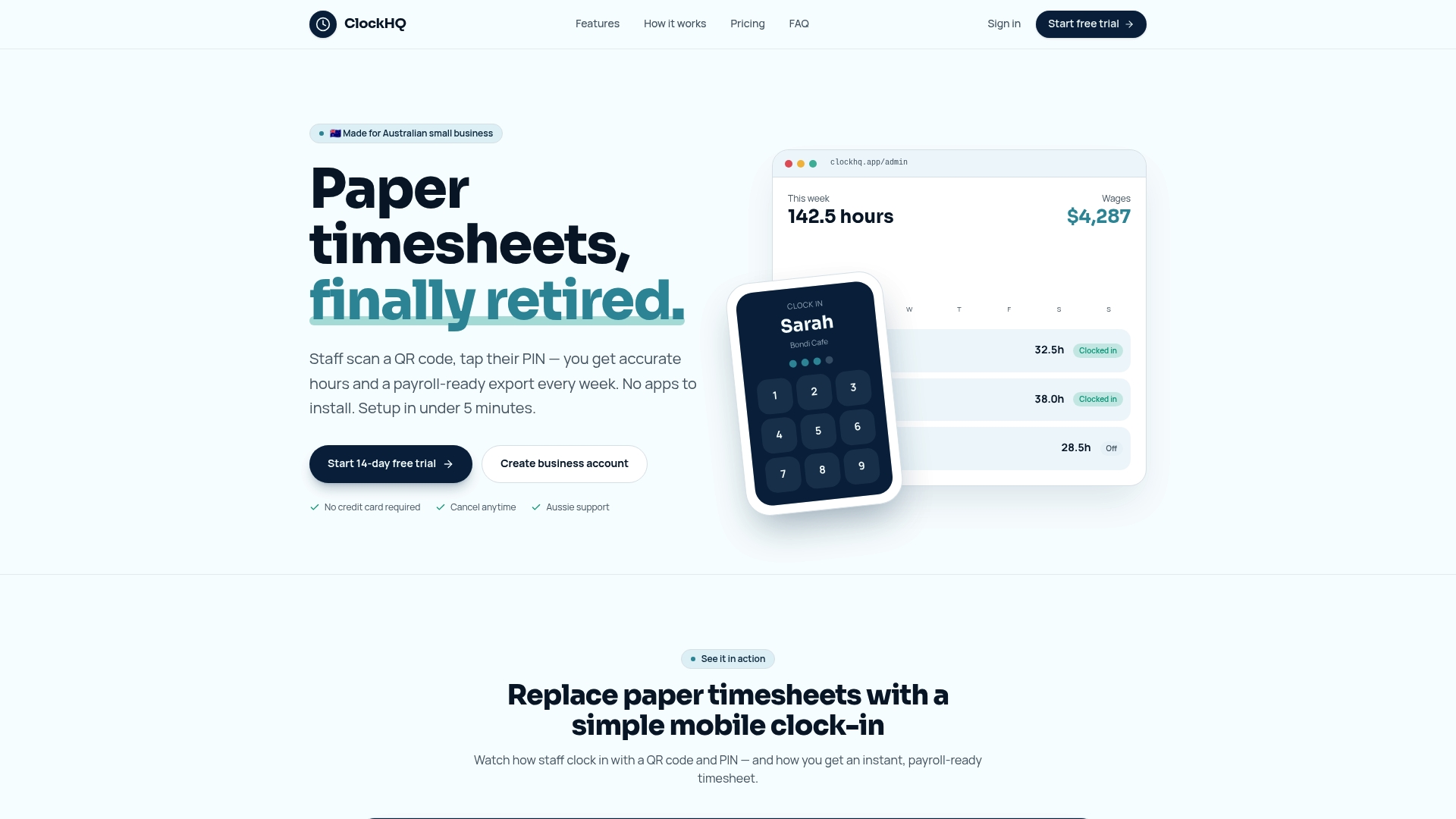
Clockhq is built for exactly this. The platform captures crew hours via GPS-verified mobile clock-ins, routes timesheets through a digital approval queue, and connects directly to your payroll software. There is no paper to chase, no Friday afternoon reconstruction, and no guessing about who was on-site and when. Trade businesses using Clockhq report cleaner payroll cycles, fewer disputes, and better visibility into job costs from day one. Start tracking time accurately and see the difference in your next pay cycle.
FAQ
What is time tracking in the trades industry?
Time tracking in trades is the systematic recording of employee work hours, job site attendance, and cost code allocations using digital tools. It replaces paper timesheets with verified, real-time data that feeds directly into payroll and job costing systems.
How does time tracking reduce payroll errors?
Automated time tracking eliminates manual data entry, applies overtime rules automatically, and routes timesheets through digital approval workflows. These three changes remove the most common sources of payroll errors in trade businesses.
What is buddy punching and how does tracking stop it?
Buddy punching occurs when one employee clocks in on behalf of another. Biometric authentication and GPS-verified mobile clock-ins prevent this by requiring the actual employee to verify their identity and location at clock-in.
Can time tracking help with certified payroll compliance?
Estimated hours on certified payroll reports can trigger willful misrepresentation findings by regulators. Automated time tracking produces timestamped, verifiable records that satisfy compliance requirements and remove that legal exposure.
How long does it take to see payroll accuracy improvements?
Most trade businesses see measurable improvements within the first full payroll cycle after full adoption. The key is complete rollout across all crews, not a partial pilot that leaves manual processes in place for some workers.