
Finding employee scheduling software that keeps shift management simple while avoiding unpredictable monthly expenses is tougher than it should be. Most platforms impose per-user fees or require a sales call to unlock key integrations and advanced features. This comparison breaks down pricing, supported integrations, and setup speed so you can select the right alternative for your scheduling needs without trial-and-error.
Table of contents
Clockhq
At a glance
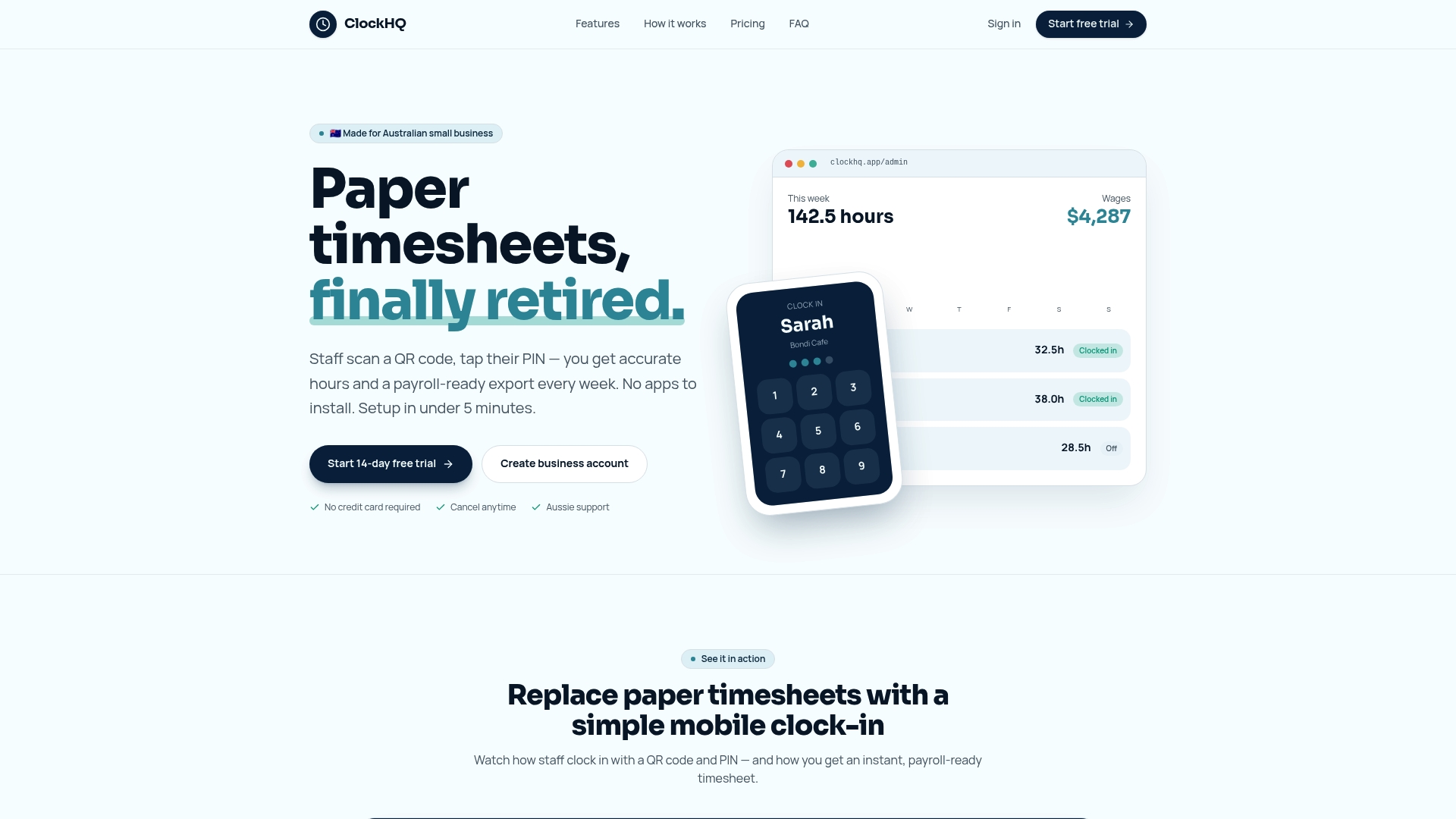
Flat rate pricing covers unlimited staff on a single account. That pricing model removes per-user charges for small teams and keeps month-to-month costs predictable.
ClockHQ is a simple workforce management app that helps businesses track employee hours, manage shifts, monitor attendance, and simplify timesheet processing on mobile or desktop. The product targets small Australian operations such as cafes, retail, salons, and local trades.
Core features
ClockHQ uses QR code clock in/out and PIN entry so staff do not need a dedicated app. Time tracking shows live shift status, break handling, and overtime calculations.
The platform produces payroll-ready CSV export formatted for Reckon and compatible payroll tools. Team management covers staff profiles, roles, pay rates, leave, and exceptions.
ClockHQ runs in any browser and supports mobile and desktop use. You can add the site to a device home screen to build a kiosk in under five minutes.
Key differentiator
The clearest edge is the combination of unlimited staff pricing and a native Reckon export. That pairing targets small employers who want predictable monthly costs and straightforward payroll handoff.
Because exports are already formatted for Reckon, payroll preparation requires less manual rework. The quick browser setup also shortens deployment time at physical locations.
Pros
-
Easy setup in under five minutes. An owner can create a kiosk and start taking clock-ins without installing apps.
-
No apps needed for staff. QR codes and PINs let employees clock in with their phones or at a shared device.
-
Flat rate pricing for unlimited staff. This removes per-user billing headaches for teams with fluctuating schedules.
-
Automatic calculations for overtime and break rounding. That reduces manual shift math before payroll export.
-
Works on any device with a browser, making it practical for countertop kiosks or tablets in busy shift environments.
Cons
- Focused on time tracking only; it does not cover advanced HR functions such as recruiting or performance management.
Notable integrations
- Reckon is the explicit payroll integration. Exports come formatted for direct import into Reckon payroll systems.
Because Reckon is the listed integration, other payroll systems may need minor CSV mapping before import. The product data highlights Reckon compatibility rather than a broader integration catalog.
Who it's for
ClockHQ fits small Australian business owners and managers who need reliable, low-friction staff time tracking. It suits cafes, retail shops, salons, small trade crews, and local offices with simple payroll workflows.
If you run multiple locations with basic payroll needs and prefer a browser kiosk, this product matches that setup. It is not aimed at large enterprises with complex HR stacks.
Unique value proposition
Runs in any browser and builds a kiosk-ready interface in under five minutes. That fact turns idle tablets or staff phones into permanent clock-in stations without IT work.
For small employers, the time saved on rollout and the payroll-ready Reckon export translate into fewer hours spent fixing shift data. The flat rate pricing removes per-staff billing surprises while keeping the monthly fee predictable.
Real world use case
A Melbourne café owner sets up a tablet at the counter as a ClockHQ kiosk. Staff scan a QR code or enter a PIN when they arrive. The owner reviews live hours, lets ClockHQ calculate overtime, and exports a Reckon-ready CSV for payroll each week.
This replaces handwritten timesheets and reduces the time spent reconciling shift errors.
Pricing
ClockHQ uses a simple flat rate with unlimited staff under one account, available as monthly or annual billing. The vendor presents the model as designed for small teams rather than per-user billing.
Website: https://clockhq.app
SchedulePop
At a glance
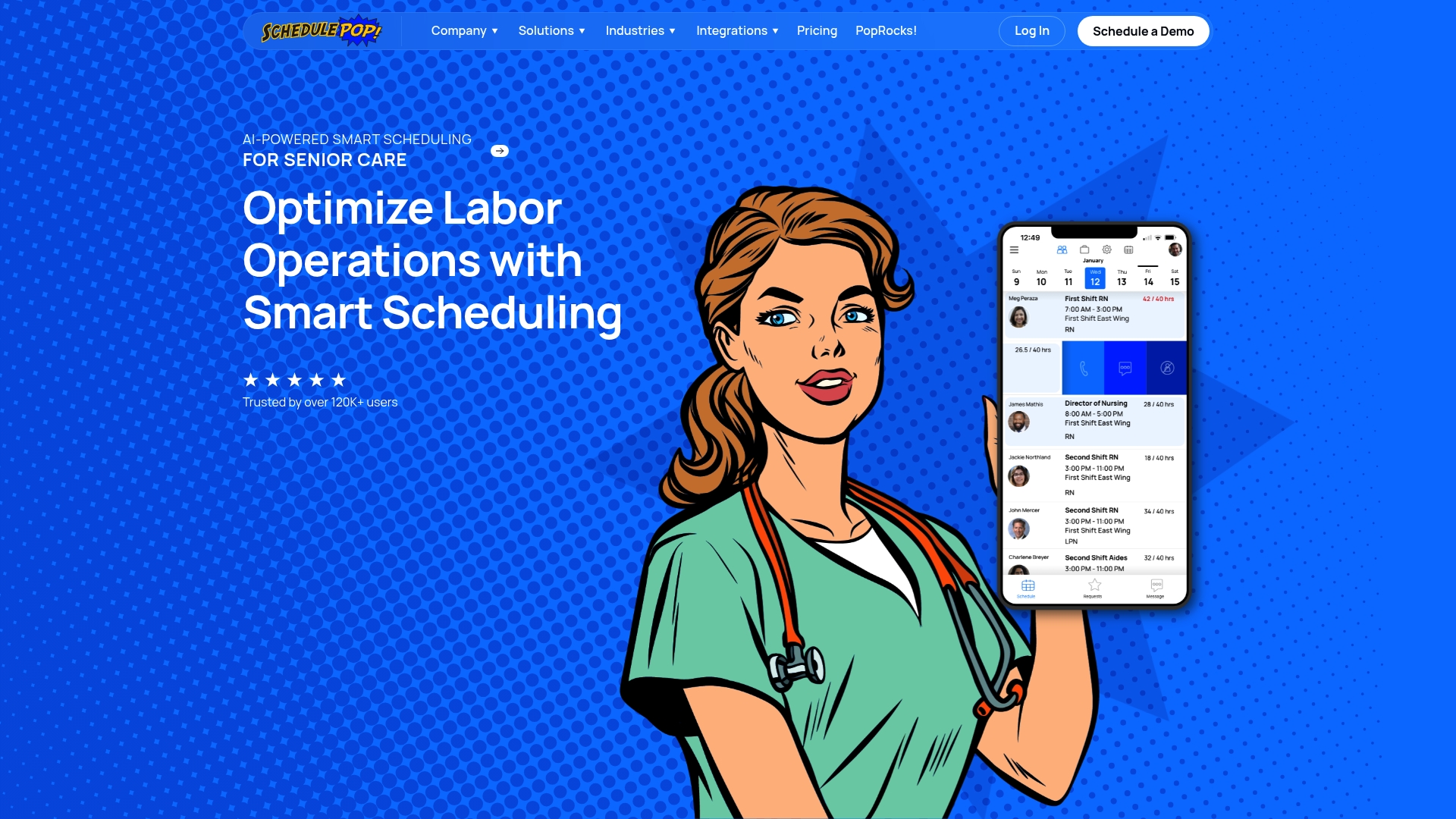
SchedulePop reports it is used by more than 120,000 users and 1,500 organizations. That adoption claim comes from the vendor. The platform targets complex staffing environments where compliance and frequent shift changes matter. Its mobile focus helps managers adjust rosters while staff receive immediate updates.
Core features
SchedulePop centers work on predictable operational tasks and exceptions. Its main capabilities include:
- AI powered smart scheduling for demand based rostering and coverage suggestions.
- Real time attendance tracking with mobile punch in and out and timestamped records.
- Automated payroll connections to systems such as ADP and Paychex.
- Certifications tracking, open shift posting, and compliance reporting for regulated workplaces.
These features aim to reduce manual roster edits and recurring compliance work.
Key differentiator
The standout is the product's focus on AI powered scheduling tuned to regulated and seasonal operations. That approach helps match staff skills to resident or guest needs in real time. The scheduling engine plus certifications tracking makes it practical for facilities that must document competency and coverage.
Pros
-
Simplifies complex scheduling in settings where skill mix matters. Managers report fewer manual changes and cleaner shift matches.
-
Cuts agency and overtime spend by suggesting optimal staffing levels around demand and certifications.
-
Improves staff communication through mobile notifications and open shift workflows that let employees pick up shifts.
-
Connects to common payroll systems, which reduces payroll reconciliation work when time data flows into payroll.
-
Built features for healthcare and hospitality use cases, which reduces the need for heavy customization in those sectors.
Cons
-
Some users say the feature set can feel overwhelming without structured onboarding and training.
-
Public materials provide limited detail on advanced customization options for unusual workflows.
-
No publicly listed free trial or self serve pricing. Sales contact is required for a quote.
When it may not fit
Large enterprises with bespoke payroll or scheduling engines may need deeper customization than SchedulePop advertises. Organizations that want transparent, self serve pricing will find the sales first model inconvenient. Teams lacking training resources may not realize the platform's full potential quickly.
Notable integrations
- Payroll systems such as ADP and Paychex.
- EMR systems used in healthcare facilities.
- Time and attendance hardware and software platforms.
- Flex staffing agencies and golf management tools like Golf Genius and ClubEssential.
Who it's for
SchedulePop fits operations and workforce managers in senior care, plasma centers, restaurants, and country clubs. It suits teams that must track certifications and meet regulatory reporting. Choose it if you need automated shift filling plus attendance data that feeds payroll.
Real world use case
A senior care facility used SchedulePop to match staff to resident acuity and required credentials. That practice reduced agency staffing and paperwork. Managers reported clearer shift coverage and fewer compliance gaps when producing audit reports.
Pricing
Pricing is flexible and customized. Contact sales for a tailored quote and implementation details.
Website: https://schedulepop.com
When i work
At a glance
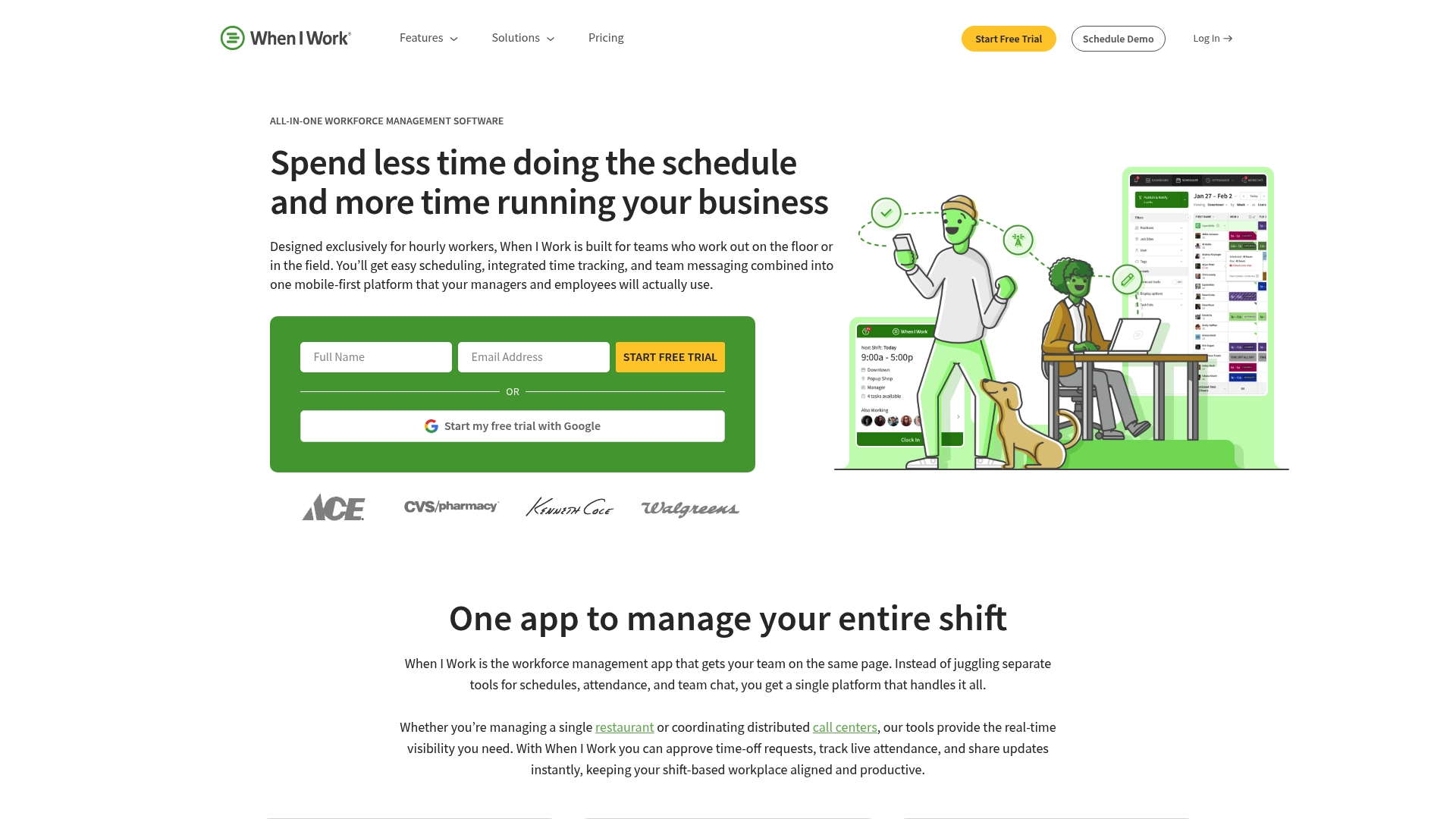
The vendor reports managers can cut scheduling time by up to 15 hours per week. That claim reflects vendor marketing and points to large time savings for hourly managers. When I Work pairs scheduling with a mobile first time clock and team messaging to keep shifts, attendance, and communication in one place.
Core features
When I Work offers auto scheduling to fill shifts faster and reduce manual edits. The built in time clock supports GPS clock in and geofencing for site based attendance. Team messaging lets staff swap shifts and get announcements without sharing personal phone numbers. The product also includes labor forecasting and overtime tracking to help control costs. It integrates with payroll, HR, and point of sale systems to close the loop on payroll and labor reporting.
Key differentiator
When I Work focuses on shift based teams with a mobile first workflow that bundles scheduling, attendance, and communication. That focus makes the product more suitable for managers who need on the go control rather than purely desktop scheduling. Compared with Clockhq, When I Work adds built in messaging and GPS based clocking aimed at restaurants, retail, and multi site operators.
Pros
-
Easy set up and simple scheduling. The vendor reports the time savings mentioned above, which matters for managers who still use spreadsheets.
-
All in one platform combining scheduling, time tracking, and messaging. Fewer logins for managers and staff helps adoption.
-
Scales from small teams to multiple locations. The interface and permissions model work for single site stores and larger franchise groups.
-
Strong mobile app experience. Staff can clock in, request swaps, and communicate without calling managers.
-
Payroll and HR connectivity. Native links to common payroll systems reduce manual payroll reconciliation.
Cons
-
Pricing transparency is limited. Public materials show starting tiers but detailed feature mapping by tier is not available.
-
Advanced scheduling rules may be limited. Very complex union or compliance rules may not be fully supported without custom work.
-
Some users report a learning curve for advanced features. Managers who expect instant mastery may face setup time.
When it may not fit
If you need fully transparent, per feature pricing before any trial, this product may frustrate you. If your schedules require highly specialized rules or many conditional constraints, When I Work may lack those advanced controls. Teams that need a minimal learning curve and no initial setup work might prefer a simpler time tracking tool instead.
Notable integrations
The product integrates with major payroll, HR, and POS systems used by hourly businesses. Key connections include:
- Rippling
- Gusto
- ADP
- QuickBooks
- Square
- Onpay
- Simplepay
These integrations help move hours directly into payroll and accounting workflows.
Who it's for
Shift based managers and HR staff in retail, restaurants, healthcare, hospitality, and franchise operations will find When I Work familiar. It fits teams that need mobile first scheduling, GPS based attendance, and built in team messaging. Choose this if you run multiple locations and need payroll connectivity with common payroll vendors.
Real world use case
A restaurant chain uses When I Work to schedule servers and cooks across multiple locations. Managers rely on GPS clock in to confirm attendance and use messaging to handle last minute swaps. The chain reports faster schedule creation and tighter overtime control after deployment.
Pricing
The vendor advertises pricing starting at $2.50 per user per month for single location teams and $5 per user per month for multiple location teams. The vendor also notes a 14 day free trial and no long term contracts. Detailed pricing beyond starting tiers is not publicly listed.
Website: https://wheniwork.com
Comparison of alternatives
When exploring alternatives to socialschedules.com, three products stand out for their distinct approaches to workforce management and scheduling. Whether offering flat rate pricing, compliance-centric automation, or mobile-first convenience, these tools cater to various business requirements.
Flat-rate simplicity versus per-user billing
ClockHQ differentiates itself with flat-rate pricing that includes all staff on a single account. This model benefits small businesses desiring predictable costs regardless of employee count. In contrast, SchedulePop and When I Work lean on per-user billing structures, where costs scale with employee numbers. For businesses managing a variable workforce or budget-sensitive operations, ClockHQ offers an advantageous pricing approach.
Compliance-driven and mobile-first functionalities
SchedulePop excels in compliance management, employing its AI capabilities to ensure appropriate staffing in regulated industries. This feature is particularly valuable for healthcare, senior care, and education sectors. Meanwhile, When I Work targets mobile-first applications, emphasizing flexible scheduling, geolocation for attendance verification, and integrated team communication. However, its starting price for user-based plans may not suit every business.
Best fit
- ClockHQ: Best for small businesses looking for a predictable flat-rate pricing structure without individual user fees.
- SchedulePop: Ideal for organizations in heavily regulated industries needing automatic compliance oversight and skill-based scheduling.
- When I Work: Suitable for managers prioritizing strong mobile app features and integrated communication tools for labor forecasting.
Our pick
ClockHQ is an excellent option for small teams seeking complete cost transparency and straightforward time tracking. By leveraging its browser-based operation and QR code functionality, businesses can quickly establish functional kiosk setups with minimal effort. However, larger enterprises or those in compliance-heavy industries might explore other options, including SchedulePop, to better match their specific needs.
Businesses seeking efficient employee scheduling tools can explore options based on their unique needs from the comparison below.
| Product | Key Differentiator | Best For | Pricing | Notable Limitation |
|---|---|---|---|---|
| Clockhq | Unlimited staff pricing with Reckon payroll export | Small Australian businesses | Not disclosed | Focused on time tracking only |
| SchedulePop | AI-driven scheduling with compliance tracking | Regulated and seasonal industries | Not disclosed | Requires sales contact for pricing |
| When I Work | Mobile-first workflows combining scheduling and messaging | Shift-based managers | Starting at $2.50/user | Limited support for complex scheduling rules |
Discover a smarter alternative to socialschedules.com with Clockhq
Managing employee shifts and attendance can feel challenging when dealing with unpredictable schedules and complicated billing. Clockhq solves these key pain points by offering flat rate pricing for unlimited staff and an easy-to-use platform that requires no dedicated apps for employees. This approach removes user-by-user charges and streamlines time tracking for small businesses like cafes, retail shops, and local trades.
Clockhq uses QR code clock in/out and payroll-ready CSV exports, making payroll handoff simple and eliminating manual rework. If you are searching for reliable socialschedules.com alternatives that bring predictability to scheduling and payroll, explore Clockhq. Visit Clockhq to set up your kiosk-ready time tracking system in under five minutes and take charge of employee hours with confidence.
FAQ
What features make Clockhq a suitable choice for small teams?
Clockhq offers flat rate pricing for unlimited staff and automated overtime calculations. This allows small businesses to manage fluctuating schedules without incurring unexpected costs. Business owners can set up a kiosk for staff to clock in within five minutes, making it a streamlined choice for time tracking.
How does Clockhq compare to SchedulePop in terms of scheduling functionality?
SchedulePop features AI-powered smart scheduling, which helps in creating optimal staff rosters based on demand and staff certifications. While SchedulePop excels in environments where compliance is critical, Clockhq's straightforward time tracking and ease of setup better serve small Australian businesses needing simpler payroll solutions.
Can Clockhq handle overtime calculations effectively?
Yes, Clockhq automatically calculates overtime and breaks, which simplifies payroll processes for users. This feature eliminates the need for manual calculations before exporting payroll data, making it convenient for small business owners.
Is Clockhq focused only on time tracking, or does it include additional HR features?
Clockhq is primarily focused on time tracking and does not include advanced HR functions like recruiting or performance management. This makes it a solid option for businesses that seek straightforward payroll processing and time management without complex HR capabilities.
What types of businesses would benefit most from using Clockhq?
Clockhq is ideal for small business owners in sectors like cafes, retail, and local trades that require reliable time tracking. It addresses the needs of businesses looking for efficient, low-friction solutions without the complications of larger HR systems.